I have a similar question that I posted here.
Currently my customer prints the Sales Order to multi-part and the first part has "PO" printed and they send that to their vendor ( as a type of drop ship order ). The second is the copy that they keep ( "SO" ).
They are NOT using Paperless (I did read your original message and realize that my reply is not exactly on topic but I feel it might be useful additional information - if not a solution - for you or someone searching in the future. I am also trying to figure out the paperless part ).
Step One:
Be sure that the multi-part is enabled and you are using Shadow Text
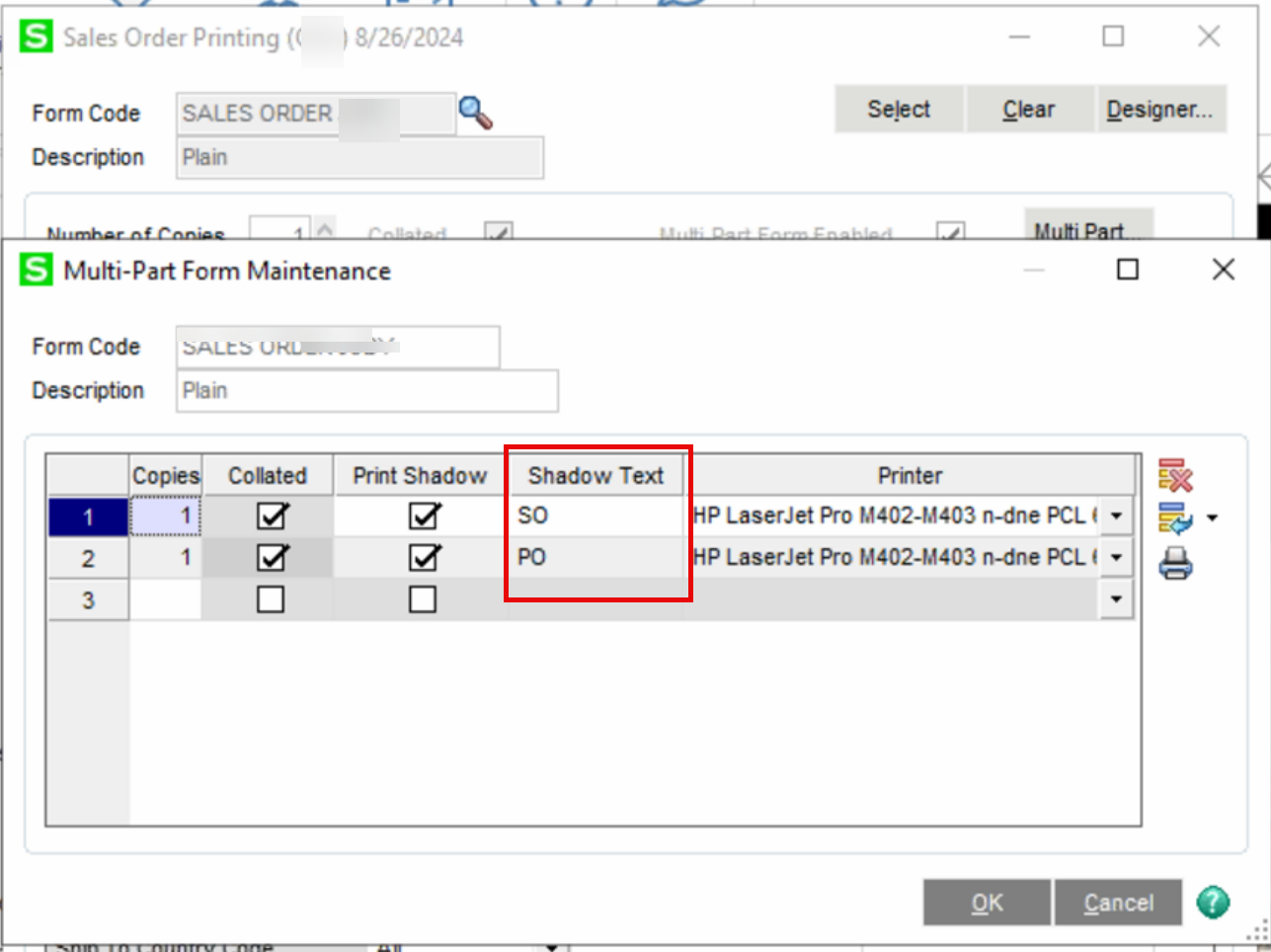
Step Two:
We either use this in a formula or place it in a control to conditionally suppress something like the price.
In the formula example below, the value for @shadowText gets set to the appropriate value from the multi-part form. In this case we are using it to set the title of the form. We do this because we cannot create a completely separate form code for each of the multi-part form sections.
if {@ShadowText} = "po" then "Purchase Order" else ""
We are also presently trying to figure out your question about how to send one copy via paperless email (and also use a vendor address instead of a customer address) and the other to just retain internally.
The specific use case for my customer is that they sell personalized items ( think mugs, hats, t-shirts ). They do not stock any of it and once they take an order from a customer they turn around and place the order with their vendor. They are a very small company so added complexity is not an option. They've been using this process for 20+ years.
------------------------------
Wayne Schulz
wayne@s-consult.comSchulz Consulting
(860) 516-8990
Moodus, CT
------------------------------