Sage 100

 View Only
  • 1.  Upgrades involving Fixed Assets (with server move)

    Posted 03-02-2023 18:17

    I have two upgrades in the planning stage, and both involve Fixed Assets, with moves to new servers.  Starting versions 2016.1 and 2019.1.
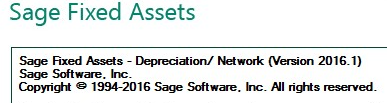
    From what I've read, to "upgrade", I need to basically step through every version to convert in sequence.  (Which I find completely insane... but it is what it is).

    However, KB 105368 indicates there is a much easier way, when moving servers.
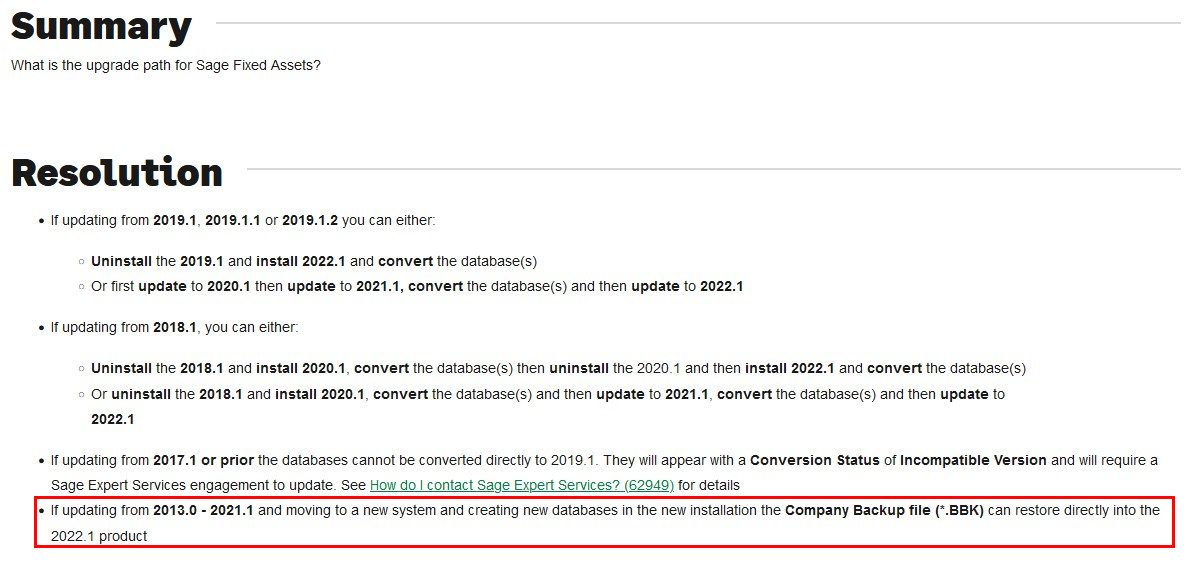
    KB 118173 basically says the same thing.

    Am I missing something?  Is it that simple (for server moves)?

    • Create backups from old system.
    • Install v2023.1 on the new server.
    • Restore backups... (and convert?).
    • Install new SFA client on workstations.

    (We aren't Fixed Assets specialists, so any guidance would be appreciated).


    ------------------------------
    Kevin Moyes
    Technical Systems Analyst
    Munjal White Consulting Co.
    ------------------------------


  • 2.  RE: Upgrades involving Fixed Assets (with server move)

    Posted 03-03-2023 08:20

    Kevin,

    To start we are not Fixed Assets specialists either. With that said we have some clients who use it and the steps you laid out are exactly what I did twice in the last year or so with 2 of our clients. I was a little hesitant when I seen those simple instructions as well but it worked for me.

    Preston


    ------------------------------
    Preston Weber
    Consultant/Project Manager
    Lehman Wesley & Associates
    ------------------------------


  • 3.  RE: Upgrades involving Fixed Assets (with server move)

    Posted 03-04-2023 00:52

    I have several Fixed Asset clients, I have not experienced this situation as I update Fixed Assets for my clients every year.  However, from what I have seen if you export the file and then import it back in, skipping versions will probably be fine.  I would say try it before going live and if you have to upgrade each version, then go that route.  Please note, if all works well on the server, when you update on the workstations, you do need to do an actual "uninstall", when you run the executable for the new version it will automatically uninstall the old version.  The process normally goes pretty fast.


    ------------------------------
    [Michele] [Herzog] [CPA,CITP, CGMA]
    [Overland Park] [KS]
    [816-520-1365]
    ------------------------------


  • 4.  RE: Upgrades involving Fixed Assets (with server move)

    Posted 03-04-2023 08:21

    I am not an expert either...and it has worked for me a few times.  My suggestion...do it in a test environment and run a depreciation run on both versions to make sure it is done correctly...it should be fine...


    ------------------------------
    Lourdes Sobrino
    LU² DSD Puerto Rico
    Guaynabo Puerto Rico
    787.485.9638
    ------------------------------


  • 5.  RE: Upgrades involving Fixed Assets (with server move)

    Posted 03-06-2023 15:24

    Thanks for the replies / tips everyone.  First one is at the end of this week and I'll report back afterwards.

    (Our upgrade quotes make reference to "best effort" for Fixed Assets, so the clients know it might not be available on day one).


    ------------------------------
    Kevin Moyes
    Technical Systems Analyst
    Munjal White Consulting Co.
    ------------------------------