Sage 100

 View Only
  • 1.  Security Role and Scripting

    Posted 11-10-2022 15:02
    I thought it was possible to enter syntax in a script to not fire the script if the user is assigned a certain security role.  I probably didn't enter all the needed syntax.  Here's what I put in that isn't working:

    if oSession.AsObject(oSession.Security).IsMember("RENTAL") then
    Exit Sub

    #scripting

    ------------------------------
    Jane Scanlan
    Partner
    Next Level Manufacturing Consulting Group
    ------------------------------


  • 2.  RE: Security Role and Scripting

    Posted 11-10-2022 15:57

    retAllowed = oSession.AsObject(oSession.Security).IsMember("rolename")

    Will return a value > 0 if user belongs to specified security role or 0 if not a member.


    New method (to stop error 88's during role check…).  Not sure what version this was added:

    retAllowed = oSession.IsMember(sRoleName)


    ------------------------------
    Kevin Moyes
    Technical Systems Analyst
    Munjal White Consulting Co.
    ------------------------------


  • 3.  RE: Security Role and Scripting

    Posted 11-11-2022 09:09
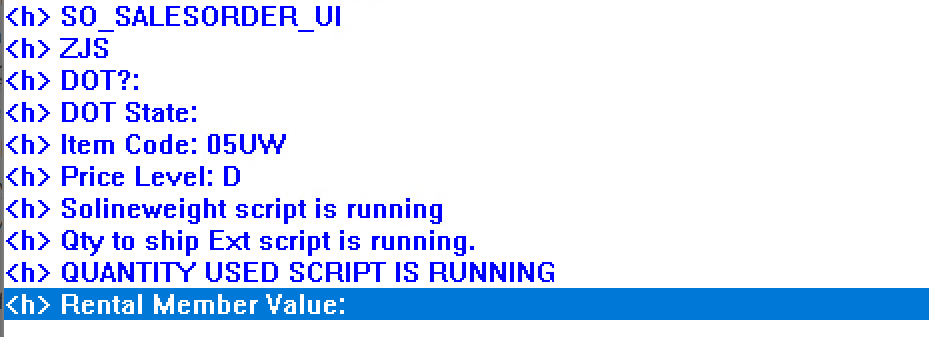
    @Kevin Moyes I probably have something wrong still. I put in Debug so that I could see what the security value was and it returned blank


    retAllowed = oSession.AsObject(oSession.Security).IsMember ("RENTAL")
    retVal = oScript.DebugPrint("Rental Member Value: " & sRENTAL)
    if retAllowed = oSession.IsMember (sRENTAL) then
    Exit Sub
    End if
    'put in exclusion for RENTAL security role so Mike M wouldn't get Error 95 when issuing rental items for shipping​


    ------------------------------
    Jane Scanlan
    Partner
    Next Level Manufacturing Consulting Group
    ------------------------------


  • 4.  RE: Security Role and Scripting

    Posted 11-11-2022 10:15
    Edited by Robert Wood 11-11-2022 10:14
    Your line
    if retAllowed = oSession.IsMember (sRENTAL) then
    should be
    if retAllowed <> 0 Then

    ------------------------------
    Robert Wood
    DDF Consulting Group
    (352) 615-5898
    ------------------------------


  • 5.  RE: Security Role and Scripting

    Posted 11-11-2022 11:08
    retAllowed = 0 : retVal = 0 : sRoleName = "RENTAL"
    retAllowed = oSession.IsMember(sRoleName)
    retVal = oScript.DebugPrint("sRoleName Value: " & sRoleName)
    retVal = oScript.DebugPrint("retAllowed Value: " & retAllowed)
    if retAllowed = 0 then
    Exit Sub
    End if

    ------------------------------
    Kevin Moyes
    Technical Systems Analyst
    Munjal White Consulting Co.
    ------------------------------


  • 6.  RE: Security Role and Scripting

    Posted 11-11-2022 11:25
    (Change retAllowed = 0 to retAllowed <> 0 if you want users with the role to exit the script early).

    ------------------------------
    Kevin Moyes
    Technical Systems Analyst
    Munjal White Consulting Co.
    ------------------------------


  • 7.  RE: Security Role and Scripting

    Posted 11-11-2022 11:50
    Thank you thank you!  It appears to be working now.  I incorporated the syntax you gave @Kevin Moyes and also changed this to

    if retAllowed > 0 then
    Exit Sub
    End if

    ------------------------------
    Jane Scanlan
    Partner
    Next Level Manufacturing Consulting Group
    ------------------------------