Original Message:
Sent: 10-10-2024 19:32
From: Kevin Moyes
Subject: Scripts being called that don't exist
I'd use custom office to delete the script link, instead of dealing with the raw data directly. There might be more settings in other files... but yes, if you don't need the script logic, it should be safe to delete the link.
------------------------------
Kevin Moyes
Technical Systems Analyst
Munjal White Consulting Co.
Toronto ON
------------------------------
Original Message:
Sent: 10-10-2024 19:22
From: Jane Scanlan
Subject: Scripts being called that don't exist
THANK YOU @Kevin Moyes ... I'm in there now and so far I found one invalid script reference, which I can delete right? And then I'll recompile the scripts to be sure. Hope to have this bugger finally rectified!
------------------------------
Jane Scanlan
Partner
Next Level Manufacturing Consulting Group
Original Message:
Sent: 10-10-2024 17:58
From: Kevin Moyes
Subject: Scripts being called that don't exist
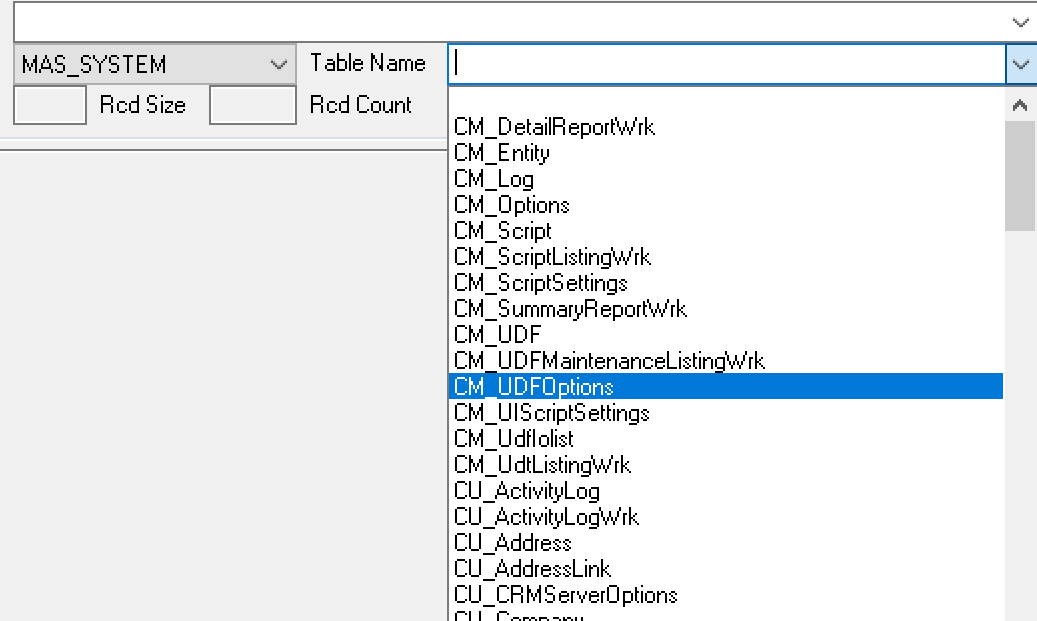
Just type CM_ScriptLink into DFDM... instead of browsing there. Sage will find the file where it is (either SQL or an M4T).
------------------------------
Kevin Moyes
Technical Systems Analyst
Munjal White Consulting Co.
Toronto ON
Original Message:
Sent: 10-10-2024 17:44
From: Jane Scanlan
Subject: Scripts being called that don't exist
Guys,
There are no JT_WorkTicketParts.vbs or SO_SalesOrderDetail.vbs files under the ..\CM\Script folder, nor does the file CM_ScriptLink.m4t exist when in DFDM (see screen shot below). I did find SO_SalesOrder_bus.vbs and opened and looked at it and didn't find anything that didn't belong; I did not find JT_*anything*_bus.vbs.
Now what? This system is a bit messed up (I have created no scripts, nor modified any, since reconnecting with this customer from the past).
Should I create simple scripts that tie to SO_SalesOrderDetail and to JT_WorkTicketParts and then look at the JT_WorkTicketParts.vbs and SO_SalesOrderDetail.vbs files under the ..\CM\Script folder to see if it now contains junk script info?
------------------------------
Jane Scanlan
Partner
Next Level Manufacturing Consulting Group
Original Message:
Sent: 10-09-2024 17:45
From: Alnoor Cassim
Subject: Scripts being called that don't exist
Jane - With File Explorer, looks for compiled master business object script files in the \Mas90\CM\Script folder. Inside of those are the subroutines (the "subs") for every event script you've created for the object. For example, let's say you find a SO_SalesOrderDetail.vbs file and inside it you see something like this:
Sub PostValidation_ItemCode500(column,value)
This means at one point a PostValidate event script for ItemCode was created. Whatever is between this and the End Sub for it, will execute every time an item is entered on the SO lines. If there is an oSession.WriteLog in there, then bingo that would be one place where the Activity Log is being written to.
You may also see other Sub's in there for other events.
** I've seen it where the original script file that is normally maintained and then compiled is missing but the contents of the script are still in the compiled master object VBS file. This means it will STILL execute if you hit the event that it runs on.
** If you determine that nothing in your master VBS file should be executing then simply rename or delete the file.
Also look for SO_SalesOrder_bus.vbs, PO_PurchaseOrder_bus.vbs, PO_PurchaseOrderDetail_bus.vbs, etc. Also for JT*.vbs
Hope that helps.
------------------------------
Alnoor Cassim
Accounting Systems, Inc. (ASI)