I looked at TotalToDistribute, but accessing it triggered a line for the MB default bin, which is not wanted.
The whole idea for this script was to distribute the entire quantity shipped to a specific "STORE" bin (but only for Fusion imports), and what I have seems to be working. (The customer is testing now).
Munjal White Consulting Co.
Original Message:
Sent: 04-28-2022 00:44
From: David Speck II
Subject: Script: hard-coding DSD MB basics bin distributions?
I have seen that "the x is invalid" warning even when working with the stock distribution object and other objects. Not sure what exactly causes it though.
TotalToDistribute sounds like a similar property in the stock distribution object. But it might be better to track that number yourself, get the total quantity from the line first, then recalculate it with each distribution until it reaches zero or there are no longer any sufficient lot/serial/cost tiers and bin combinations with sufficient quantity. There is also a property called Balance that I have used in scripts dealing with the stock distribution object and based on your screenshot, it looks like the DSD bin distribution object has it as well, so you may be able to use it in your loop.
------------------------------
David Speck II
Tennessee Software Solutions
------------------------------
Original Message:
Sent: 04-26-2022 14:47
From: Kevin Moyes
Subject: Script: hard-coding DSD MB basics bin distributions?
FYI,
Testing gives me this as the way to add a bin distribution for a FIFO line... and if the bin quantity is short that warning is ignored (setting the bin distribution anyways).
Set oBinDist = oSession.AsObject(oBusObj.BinDistribution)
retVal = oBinDist.AddDistributionLine(sStoreBin)
retVal = oBinDist.SetValue("QuantityShipped", nQtyShip)
retVal = oBinDist.Write()
Oddly, the AddDistributionLine gives a return value of 2, saying the edit key is invalid, but it works. (And yes I did clear the LastErrorMsg before the command).

Thanks again.
------------------------------
Kevin Moyes
Technical Systems Analyst
Munjal White Consulting Co.
Original Message:
Sent: 04-21-2022 18:58
From: Kevin Moyes
Subject: Script: hard-coding DSD MB basics bin distributions?
Update: I was looking in the wrong spot.
This...
MsgBox coBusiness'Lines'_Type$
...led me to a BinDistribution property / object.
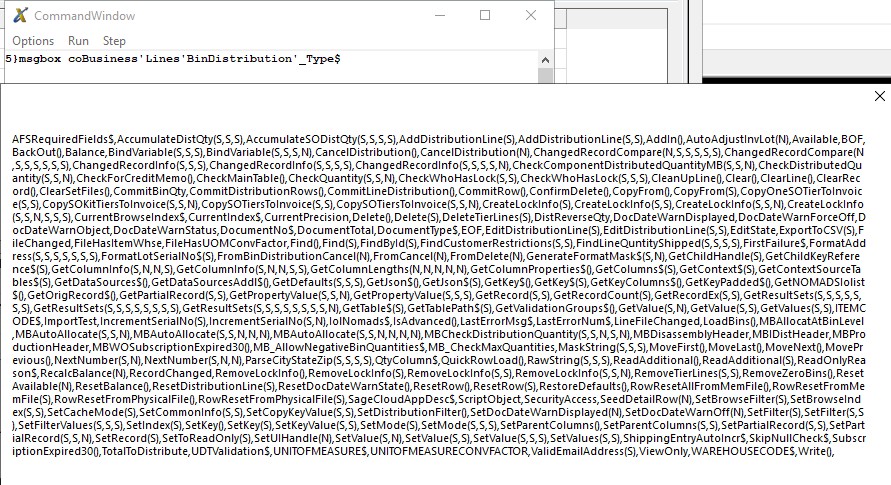
Then, using this...
Set oBinDist = oSession.AsObject(oBusObj.BinDistribution)
...in a Line script I can now access existing bin distribution values, so I know I am in the correct business object.

All I need to do now is add a new distribution line using this object (ideally with quantity validation...). There are some odd extra properties / methods (TotalToDistribute, CommitLineDistribution...) which I'll need to play with to see what they do.
Thanks again David.
I would never have gotten this far without your tips.
------------------------------
Kevin Moyes
Technical Systems Analyst
Munjal White Consulting Co.
Original Message:
Sent: 04-20-2022 18:35
From: Kevin Moyes
Subject: Script: hard-coding DSD MB basics bin distributions?
This is great David, and will be a big help for sure.
Entering data manually and looking at what is saved will give me an idea what the argument fields might be.
------------------------------
Kevin Moyes
Technical Systems Analyst
Munjal White Consulting Co.
Original Message:
Sent: 04-20-2022 14:24
From: David Speck II
Subject: Script: hard-coding DSD MB basics bin distributions?
Open the command window, halt the program and try typing msgbox followed by whatever the object handle is followed by '_type$. For your particular case since it appears DSD's MB is within the distribution class, I believe the following will work.
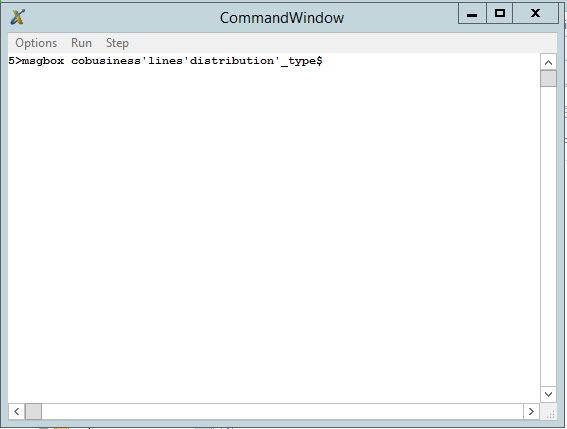
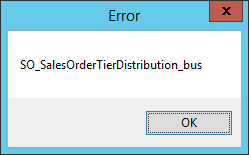
MsgBox coBusiness'Lines'Distribution'_Type$
That should result in a dialog like this. If the method name has a $ before the parenthesis then it returns a string. Each argument listed within the parenthesis will either be an S for string or N for number.
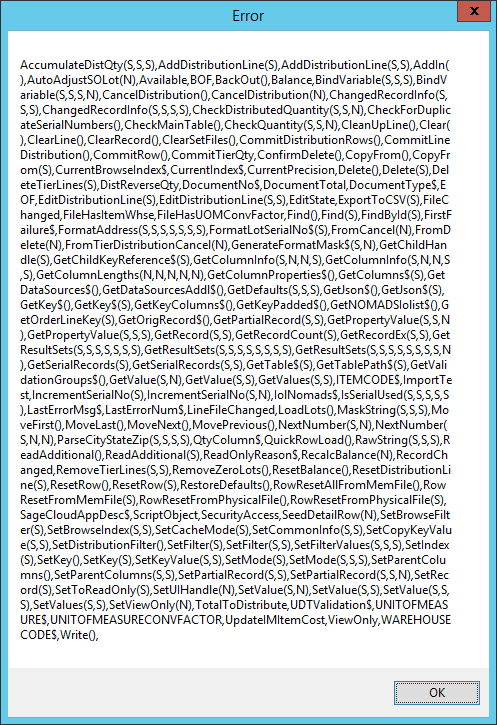
It certainly doesn't replace having good documentation but you might just be able to figure something out by at least know what types of data the methods are expecting.
FYI, you can also use MsgBox [object]'* to get all of its methods and properties WITHOUT the arguments.
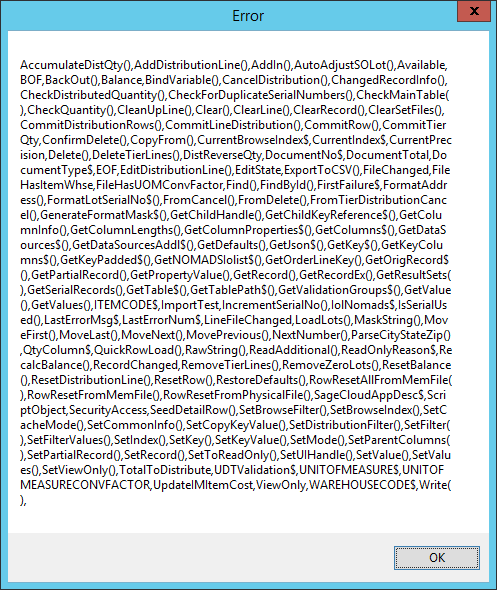
Finally, you can use MsgBox [object]'_Class$ to get the program name.
------------------------------
David Speck II
Tennessee Software Solutions
Original Message:
Sent: 04-19-2022 17:35
From: Kevin Moyes
Subject: Script: hard-coding DSD MB basics bin distributions?
(Correction, it is MB-Advanced).
Using David's Command Window trick (link) I can't see any new objects specifically for MB... and it looks like the Tier Distribution logic has been edited instead of creating a new property / object.
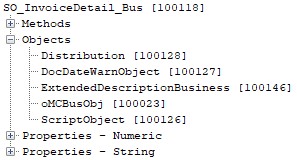
Inside the TierDistribution object I can see...
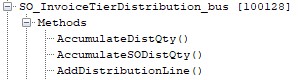
...methods related to adding MB distributions, but obviously no details on the required arguments.
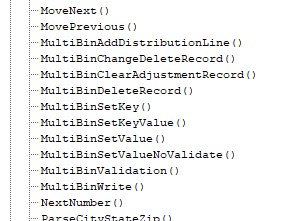
This might not be something that's easy to script after all.
Has anyone set default Bins via script, conditionally (not using the MB Advanced features)?
------------------------------
Kevin Moyes
Technical Systems Analyst
Munjal White Consulting Co.