VisualCUT is the other common software used.
In both cases with VC and SA, both can't run standard Sage 100 reports that use a worktable. If you have the Workflow/Actions module for SA, you could schedule a script to use BOI to run, generate, and export the report. Alternatively, you can just use a VBScript scheduled with Windows Task Scheduler to handle reports that use a work table.
Sage 100's task scheduler feature to email a report is limited to a report setting with any options and selection criteria saved to the report setting. You could always you criteria within the crystal report to filter if the selection criteria is too complicated or dynamic to save to the report setting. Using the BOI approach gives you full control over the report options and selection criteria prior to generating the report.
------------------------------
David Speck II
Tennessee Software Solutions
------------------------------
Original Message:
Sent: 04-29-2022 20:06
From: Kenny Daniel
Subject: Scheduling Reports
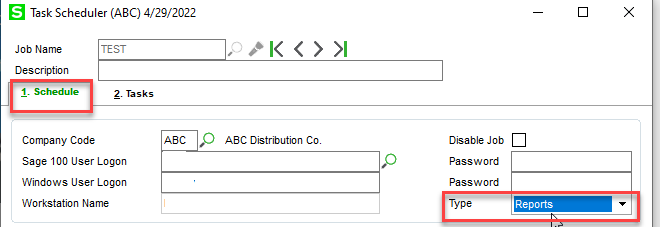
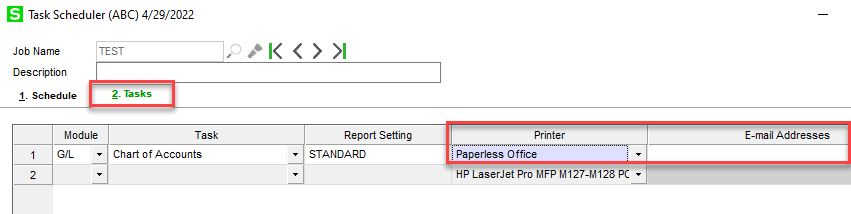
Not sure which version you are using or when Sage added this, but Sage100 2021.2 allows for the emailing of out-of-the-box reports, as well as allow for selecting a specific report settings. Just select Reports on the Schedule tab and Paperless Office on the Task tab.
------------------------------
Kenny Daniel
TechnoClarity, Inc.
------------------------------