Sage 100

 View Only
  • 1.  Sage Intelligence Date Connector Error

    Posted 03-05-2024 13:22

    Have a Sage Intelligence Connector that have been being used for quite some time. All of a sudden it errors out due to this sql statement:

    "AR_InvoiceHistoryHeader"

    WHERE "AR_InvoiceHistoryHeader"."InvoiceDate" >= dateadd("yyyy",-2,GETDATE())
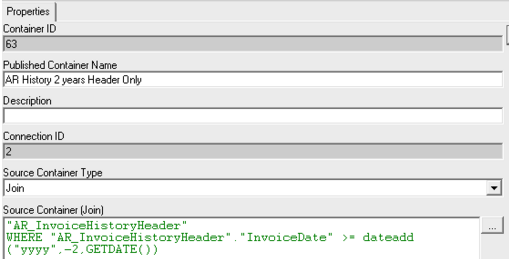
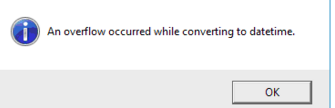
    Get this in the connector when doing a check/test:
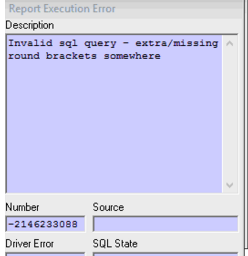
    And this in Report Manager:
    If I remove the GETDATE statement entirely it runs fine. I can't figure out what changed. I don't see any invoices with bad dates nor do I see any dated 02/29/2024 (thought maybe leap year?)

    I suppose we can filter in Report Manager rather than the Connector but would like to filter in connector.

    This is Sage 100 Advanced.


    ------------------------------
    Dana Halpin
    Vrakas/Blum Computer Consulting, Inc.
    ------------------------------


  • 2.  RE: Sage Intelligence Date Connector Error

    Posted 03-05-2024 13:41

    you mention that you don't see any bad dates. are you looking at them in Sage 100?  sometimes Sage 100 will look fine but if you look at the date in DFDM or through ODBC it is NOT fine. What I do is create a Crystal report with all the appropriate date fields (invoice date, due date, etc.) and run it for all records. if it errors out then it is a bad date. from there I remove the columns one at a time until the error goes away telling me which field the bad date exists. 

    once you know that you can edit the ODBC configuration to setting the flag for "Null Date" and run the crystal again sorting by the various date fields. With null dates active, sometimes the bad date will jump to the bottom or top of the list. or use DFDM and just show the invoice number and the field that is bad and you can usually see it in that list. 


    ------------------------------
    David Overholt
    DWD Technology Group
    ------------------------------


  • 3.  RE: Sage Intelligence Date Connector Error

    Posted 03-05-2024 14:27

    Thank you for your response. Yes to check for bad dates that's exactly what I did. I created a report in crystal with all the date fields from the table and was able to generate just fine without any errors.


    ------------------------------
    Dana Halpin
    Vrakas/Blum Computer Consulting, Inc.
    ------------------------------


  • 4.  RE: Sage Intelligence Date Connector Error

    Posted 03-06-2024 10:17

    If your DSN you are using in your Crystal Report has the NULL Date option checked on the Options tab then it won't display the Vendor Code 9 error when a bad date is encountered, it just NULLs it out.  Since this is on a required date field, it should never be blank/NULL, you can always try to use Crystal Report to test for these conditions on every record and see if you get any results.


    ------------------------------
    David Speck II
    Blytheco LLC
    ------------------------------


  • 5.  RE: Sage Intelligence Date Connector Error

    Posted 03-05-2024 14:28

    I wonder if a data type changed from date to date-time.


    ------------------------------
    Doug Higgs
    Midwest Commerce Solutions, Inc
    (312) 315-0960
    Chauffeur, Chef, and Personal Assistant to Sprinkles
    ------------------------------


  • 6.  RE: Sage Intelligence Date Connector Error

    Posted 03-12-2024 13:18

    Just an update on this. I was searching high and low for a bad date somewhere and it had nothing to do with dates. It was an excel expression using index/match that was added via the Connector that was erroring out. 


    ------------------------------
    Dana Halpin
    Vrakas/Blum Computer Consulting, Inc.
    ------------------------------