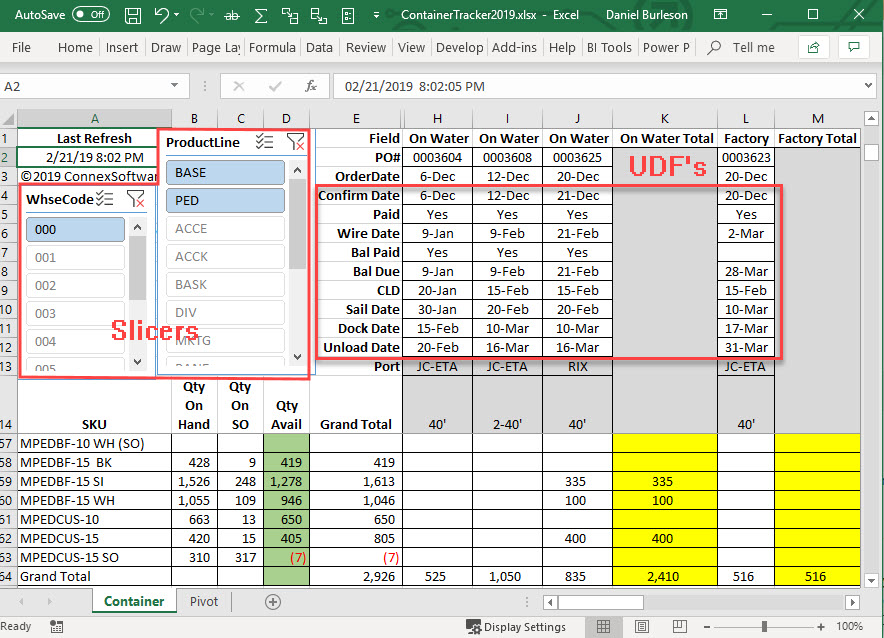
Excel is a great tool for fully automated dashboards. A client was running reports and manually updating a purchase order tracking spreadsheet similar to the screen shot below. This version uses pass through queries directly to ODBC or SQL Server data. VBA code can refresh the data at preset intervals or one can just click "Refresh" to update the spreadsheet immediately from Sage 100. In this example, slicers for "WhseCode" and "ProductLine" provide immediate filtering adding or removing PO's to/from the columns and values. Let's talk!
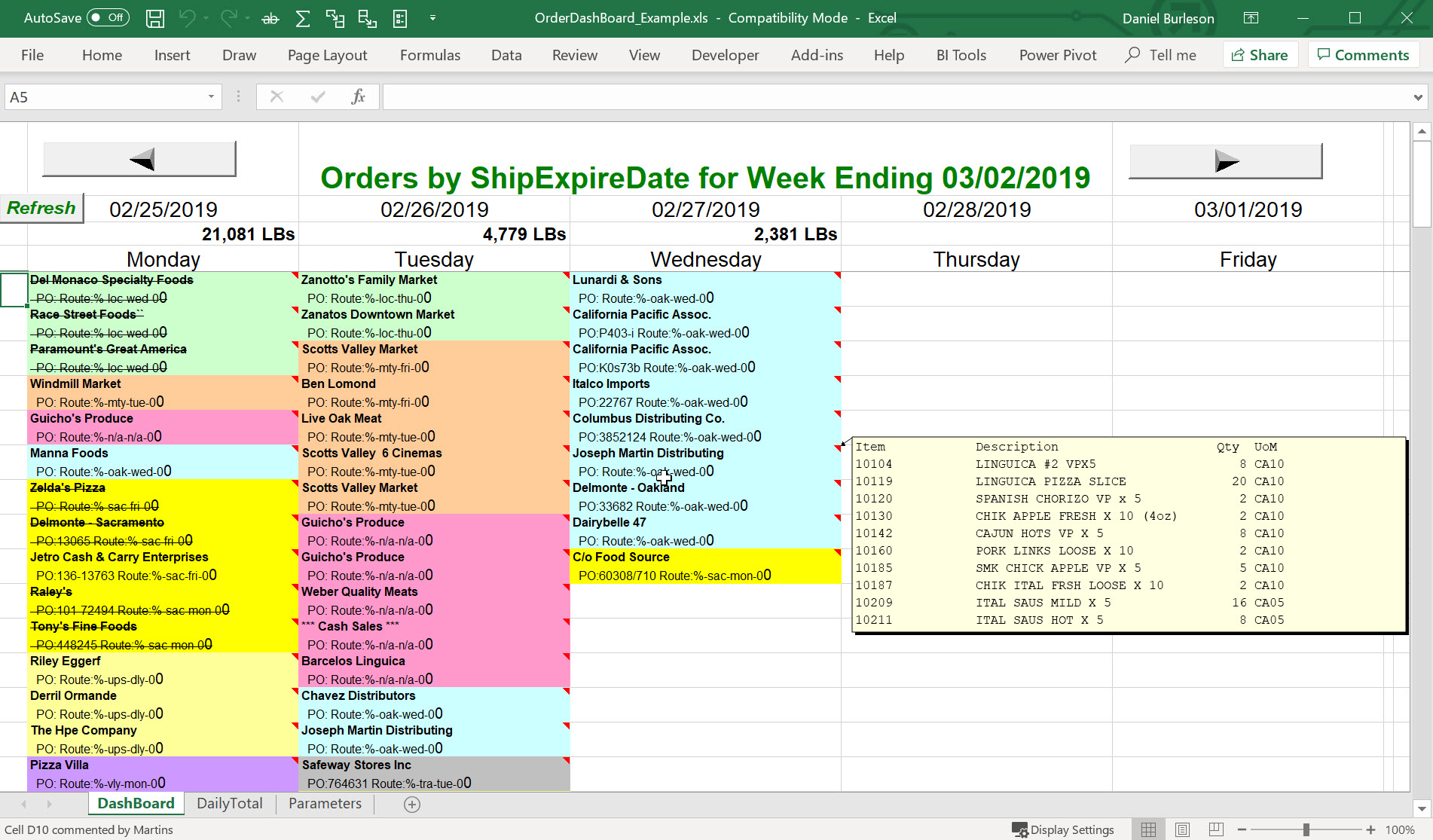
Another client wanted to automatically track orders to be shipped on a large monitor replacing a central bulletin board. This Excel dash board is configurable such that the contents of cells and the contents of pop-up comments are setup on the Parameters worksheet. In this example, the comments are assigned to sales order detail line data and automatically pop-up when the mouse hovers over a cell. Also, the cell fill color is defined by setting which table field controls color and which values are assigned to which color. In this example, SalespersonNo defines color and each salesperson code is assigned a unique color. The refresh interval is also a parameter setting and as orders are invoiced the cell fonts change to
strike-through.
------------------------------
Dan Burleson
Software Consultant
Connex Software
Corvallis OR
541-224-6642
------------------------------
Original Message:
Sent: 02-23-2019 11:23
From: Greg Stiles
Subject: Sage Driven Real Time Dashboards
@Clark Walliser they are manually preparing a spreadsheet, copy, paste, click refresh, etc., nothing is scheduled nor automatic.
Thanks everyone, all good ideas, appreciate it.
------------------------------
Greg Stiles
S & W Microsystems
Torrance CA
310.787.1010
------------------------------
Original Message:
Sent: 02-22-2019 18:25
From: Jeff Schwenk
Subject: Sage Driven Real Time Dashboards
@Dan Burleson - ROCKS with real time dashboards.....
------------------------------
Jeff Schwenk
Bottomline Software, Inc.
Waynesboro VA
540-221-4444
Original Message:
Sent: 02-22-2019 15:26
From: Clark Walliser
Subject: Sage Driven Real Time Dashboards
When you say "manually refreshing", do you mean they have to hit a button, or that it is a scheduled refresh via windows task scheduler or some other tool.
Here a few ways to do scheduled refreshes:
1. Logicity crystal report can use windows task scheduler to process a crystal report and export to an excel data source file.
2. @Dan Burleson uses his "MAS Shadow" Access database with scheduled refreshes of the source data.
3. Power BI gateway schedules data refreshes to the Power BI cloud dataset. It's designed to work with Power BI, which is specifically designed for doing dashboards.
But you can also link an excel file to the Power BI cloud dataset. https://powerbi.microsoft.com/en-us/gateway/ , https://powerbi.microsoft.com/en-us/blog/analyze-in-excel-from-power-bi-publisher-july-update/ NOTE: using Power BI often requires paying for a Power BI pro user licence ($10/mo/user)
4. The Power Update app from a company called PowerOn can do scheduled refreshes of Excel Power Query datasets (embedded in Excel) which feed to the dashboard.
http://poweronbi.com/power-update/
------------------------------
Clark Walliser
Senior Consultant
DSD Business Systems
San Jose CA
Clark