I have a 2018.2 standard customer who is in a high-security environment so it's very possible that most (all) of this issue is related to rights. I just don't know where to point them --- and neither does Sage.
I believe the AV is Symantec Endpoint
The symptom:
(A) Visual IntegratorI can create a VI job
When I go to Save I get various errors depending on where I'm importing to:
- Importing to GL_GeneralJournalHeader ( AJE )
- File 'GL_FiscalYearDetail' not found ( when I look the file is <g class="gr_ gr_570 gr-alert gr_gramm gr_inline_cards gr_run_anim Style multiReplace" id="570" data-gr-id="570">there ,</g> it's not read-only, have full security permissions)
- INFO: Error #12 VI_ImportJobMaintenance_bus.pvc Line 3907
(B) SY_MENU_UIWhen I got into File - Run - SY_Menu_UI and SAVE:
- Error File "SY_MenuDefault" not found
- INFO: Error 12 SY_MENU_SVC.PVC Line 283
- Then in most cases, MNUMOD is blank causing the menus <g class="gr_ gr_1499 gr-alert gr_spell gr_inline_cards gr_run_anim ContextualSpelling ins-del" id="1499" data-gr-id="1499">to</g> not appear and I have to restore MNUMOD
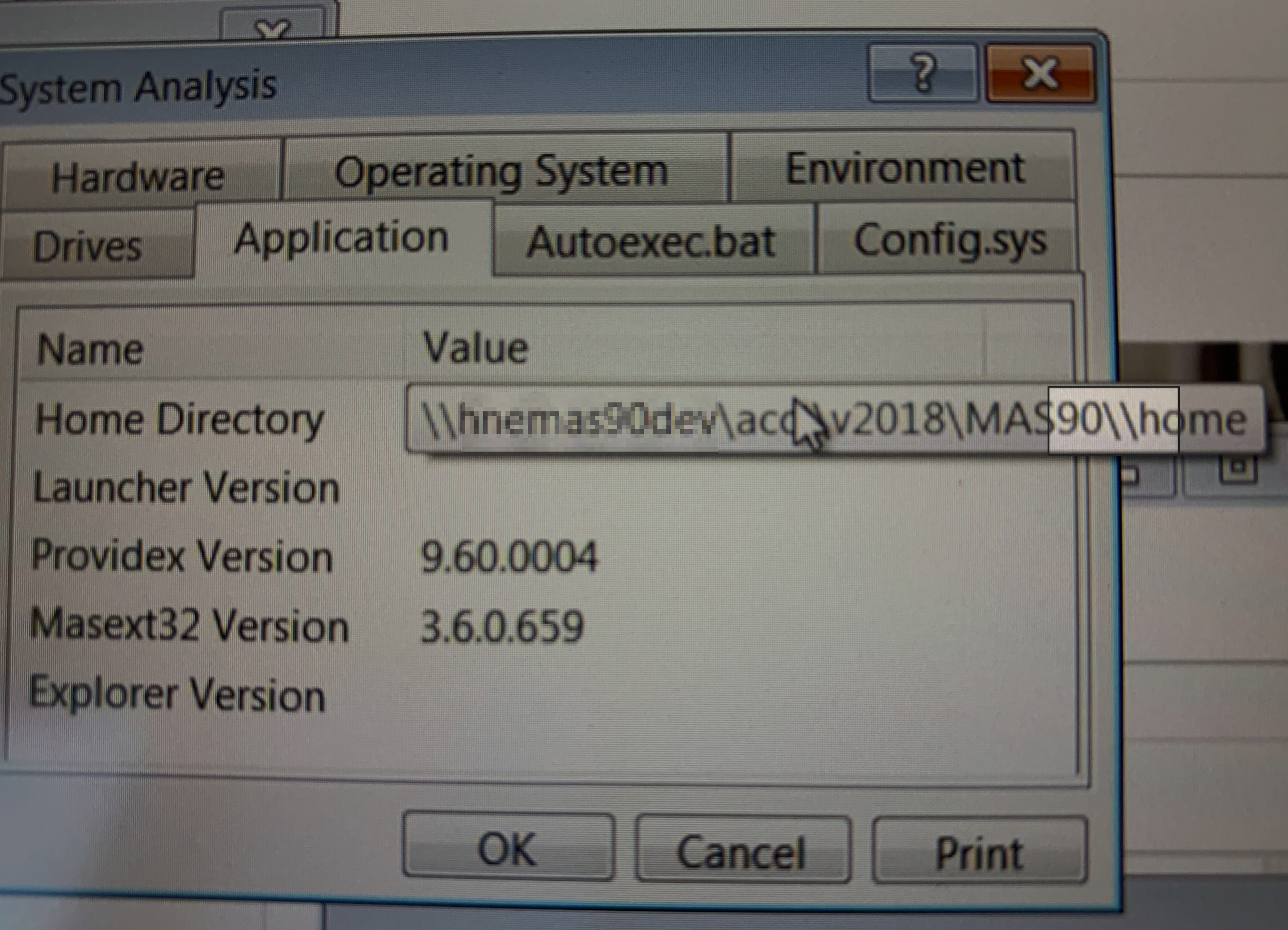
Another bit of perhaps coincidental info - if I click the SYSTEM INFO button in the lower right corner of the error details and look at that System Analysis box and click on APPLICATION - it shows Home Directory \\server\path\MAS90\\HOME <-- not there are 2 ' \\ 'before HOME
I'm not entirely sure whether this is just a Sage oddity (I rarely look at this error detail) or whether that mangled ' \\ ' is causing issues somehow with Sage.
The rest of Sage works fine with the exception of recurring "SY_Workstation" not found messages which the users enter through and appear to then get on with their daily work.
They are accessing Sage via VMWARE Horizon Client for Windows
------------------------------
Wayne Schulz - Schulz Consulting - 860-516-8990
------------------------------