Yesterday's at our Sage Roundtable Webinar, Elliott Pritchard of Sage was going to cover the "More Info" link for locked record/files if there was time. He provided the following details of this new feature:
"Yes, you will get a "More Info" with the record in use message in Data Entry programs, this is handled outside of the Message Link Maintenance that I showed yesterday. There will be a "More Info" link when files such as Customer are open and someone goes into A/R Options, and it will provide a message of who has it locked as well as the task that person is in.
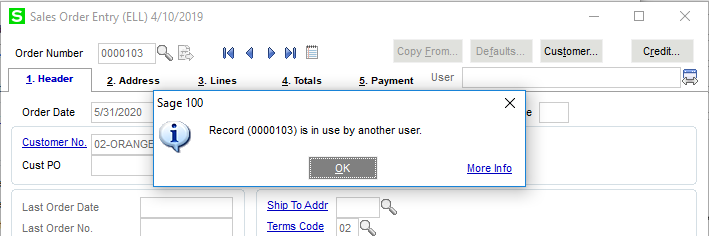
A sample of Record locked:
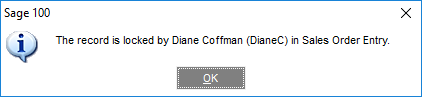
When you press the link you'd get:
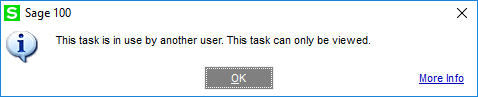
A sample of the Table Lock message, when trying to go into Accounts Receivable Options:
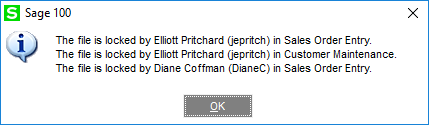
When you click on the More Info link, you could see:
In addition, I think Diane mentioned this at the conference, but there is a way to turn off the record locking links, in Library Master/Setup/System Configuration – Preferences Tab
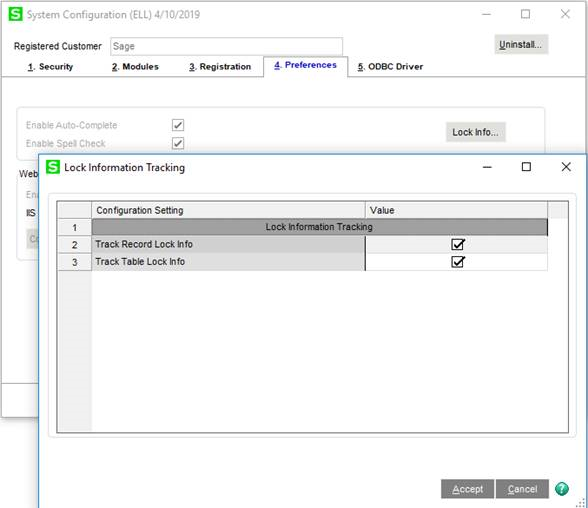
This new feature is controlled by a new table called SY_LockFileInfo.M4T that resides in MAS_SYSTEM."
------------------------------
Moira Goggin
Chismet Consulting Corp.
Long Beach CA
------------------------------