Sage 100

 View Only
  • 1.  Sage 100 upgrade v2025 Advanced - can't print or preview Database login issue

    Posted 10-23-2025 09:50

    Good morning,


    I need help to resolve an issue I've been working on for almost two weeks now for a v2025 Advanced upgrade on a new server.

    Still using 32 bit until after upgrade.

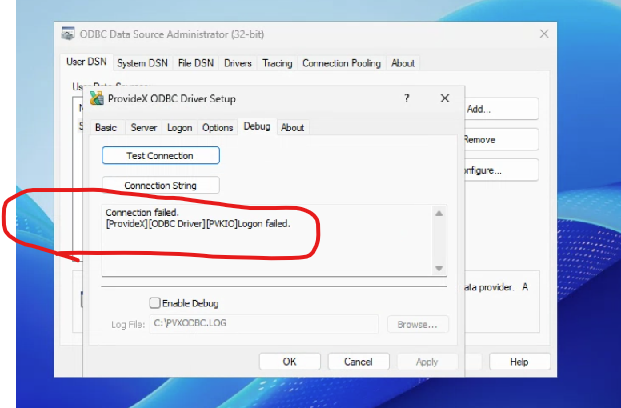
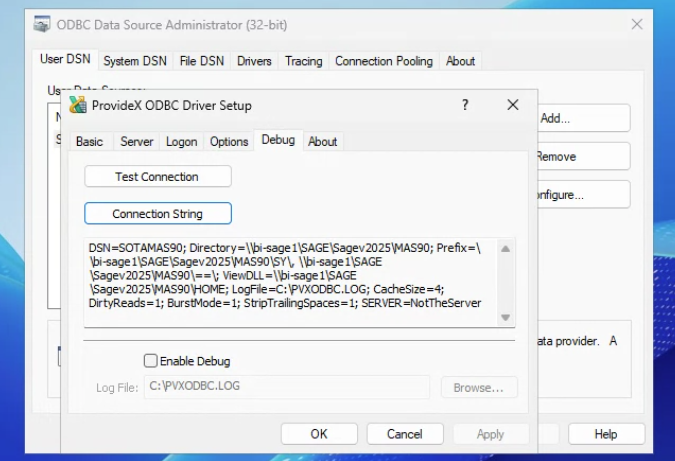
    ODBC User DSN test connection error.


    I've tried every knowledgebase article regarding this database login issue/error below.

    It happens on the server and on a workstation they are using to test.

    It happens no matter the Sage user logged in.

    I've uninstalled the workstation setup over 6 times.

    I've opened a case with Sage and after talking with 3 people, they did not know how to help and escalated it but have not called back yet.

    I worked with the client's IT person, who logged into the server as "administrator" and who informed me that antivirus was not installed yet.  He checked firewall settings did something that made all of my inbound rules disappear but I was able to re-set them up.  But we still have the issue.


    I worked with Madeline Stefanou for a few hours yesterday, who reviewed all of the knowledgebase articles and other 90 minds postings to see if I missed anything.  She suggested I ask the 90 minds community.


    I'm frustrated and hoping someone can help to make my day!
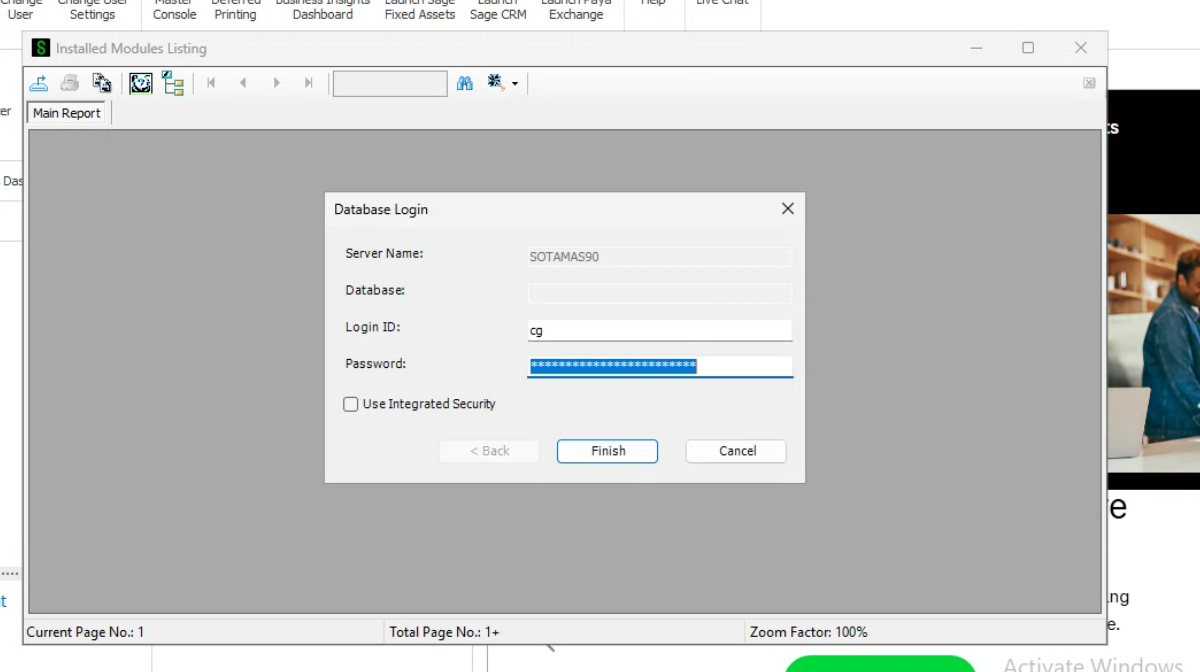


    A screenshot of a computer  AI-generated content may be incorrect.


    Thank you

    Debby


    UPCOMING OUT OF OFFICE:  

    Debby Hanson

    Senior Solution Architect


    Logo

    phone: 484.874.2221 |

    email: dahanson@rklesolutions.com | website: rklesolutions.com


  • 2.  RE: Sage 100 upgrade v2025 Advanced - can't print or preview Database login issue

    Posted 10-23-2025 09:57

    Is C/S odbc enabled by chance?


    ------------------------------
    Brett Zimmerman
    Net at Work
    Greater Boston Area
    ------------------------------


  • 3.  RE: Sage 100 upgrade v2025 Advanced - can't print or preview Database login issue

    Posted 10-23-2025 09:58

    Nope.  Checked it several times.


    Thank you

    Debby


    UPCOMING OUT OF OFFICE:  

    Debby Hanson

    Senior Solution Architect


    Logo

    phone: 484.874.2221 |

    email: dahanson@rklesolutions.com | website: rklesolutions.com


  • 4.  RE: Sage 100 upgrade v2025 Advanced - can't print or preview Database login issue

    Posted 10-23-2025 10:37

    Make sure tab 2 of the DSN is blank.  (That is where the CS-ODBC settings are...).

    Check the share permissions.

    If you are using Unified logins, the password might not be what you think it is... change it in Sage and use that.


    ------------------------------
    Kevin Moyes
    Technical Systems Analyst
    Munjal White Consulting Co.
    Toronto ON
    ------------------------------


  • 5.  RE: Sage 100 upgrade v2025 Advanced - can't print or preview Database login issue

    Posted 10-23-2025 12:09

    If the following works it may help narrow down the cause:  Copy and paste the user dsn settings and create a system dsn.  Test the system dsn connection.


    ------------------------------
    Doug Higgs
    Midwest Commerce Solutions, Inc
    (312) 315-0960
    Chauffeur, Chef, and Personal Assistant to Sprinkles
    ------------------------------


  • 6.  RE: Sage 100 upgrade v2025 Advanced - can't print or preview Database login issue

    Posted 10-23-2025 14:00

    Thanks, everyone!

    It was the TSL 1.1, 1.2 in the internet options that was not turned on.

    I changed direction and enabled CS ODBC in System config and user preferences and created the service and set the ODBC connection with the server name and port of 20222.  Then when we enabled the TSL and restarted the server, it worked.

    Whew!!


    Thank you

    Debby


    UPCOMING OUT OF OFFICE:  

    Debby Hanson

    Senior Solution Architect


    Logo

    phone: 484.874.2221 |

    email: dahanson@rklesolutions.com | website: rklesolutions.com


  • 7.  RE: Sage 100 upgrade v2025 Advanced - can't print or preview Database login issue

    Posted 10-23-2025 13:56
    Edited by Wayne Schulz 10-23-2025 13:56

    This seems to be your first symptom - I'm certain someone has found this by now:
    Database Login prompt window for Crystal Reports appears when printing or previewing a form or report

    The first thing I would try - especially on a 2025 system - is go to add/remove programs and pull out the Crystal Runtimes for both 32 and 64 bit. Then re-run workstation setup. I have not had good luck relying on workstation setup to resolve Crystal/ODBC issues. In the past I would find uninstalling the workstation and reinstalling the workstation would fix a lot of ODBC things. Something seems to have changed and I found on at least one occasion I had to manually remove the Crystal Runtimes and re-run wksetup to get things working.


    ------------------------------
    Wayne Schulz
    wayne@s-consult.com
    Schulz Consulting
    (860) 516-8990
    Connecticut
    ------------------------------


  • 8.  RE: Sage 100 upgrade v2025 Advanced - can't print or preview Database login issue

    Posted 10-23-2025 13:59

    I've had the "repair" work to solve printing issues too (faster).


    ------------------------------
    Kevin Moyes
    Technical Systems Analyst
    Munjal White Consulting Co.
    Toronto ON
    ------------------------------