Finally got this resolved! They already had the correct settings in Sage as we had set up oAuth months ago, per the Sage articles (I also had them verify that all the settings were still correct). In my continued sleuthing late yesterday, I asked their IT to check the email service account assigned in the Email tab if anything had changed with it. But of course, that was it! They implemented a policy that MS passwords must be changed every 30 days. So of course that is why the account login message appeared and emails would not send because the password was expired. They are going to put an exception on that account to not have that password change rule apply.
By the way, of course this happened with the attempt to send direct deposit stubs, which happens during the check register update. Before the end user got me involved they attempted 6 times to get through the update (you know, killing the task and starting again) - this resulted in multiple (not all) payroll earnings to update 6 times to the employees' records. I temporarily turned off the "deliver DD stubs during check register update" so that the check register would actually update, and so that I could generate the ACH file for them. The ACH file also had 5 extra DD lines in the file -- not for all employees - just depending on where the restart was and how far the update attempts got. It was quite the mess, but I was able to guide the end user in deleting the duplicate entries in the ACH file and modifying other lines in the file so that they could upload to their bank. Also, that reverse payroll blue arrow in payroll data entry is quite wonderful and they were able to reverse all the multiple transactions for the employees where that occurred.
------------------------------
Jane Scanlan
Partner
Next Level Manufacturing Consulting Group
------------------------------
Original Message:
Sent: 11-04-2025 11:53
From: Kevin Moyes
Subject: Sage 100 Email \ Paperless 2FA
https://us-kb.sage.com/portal/app/portlets/results/viewsolution.jsp?solutionid=221924560116472
https://us-kb.sage.com/portal/app/portlets/results/viewsolution.jsp?solutionid=221924460116301
------------------------------
Kevin Moyes
Technical Systems Analyst
Munjal White Consulting Co.
Toronto ON
------------------------------
Original Message:
Sent: 11-04-2025 11:42
From: Jane Scanlan
Subject: Sage 100 Email \ Paperless 2FA
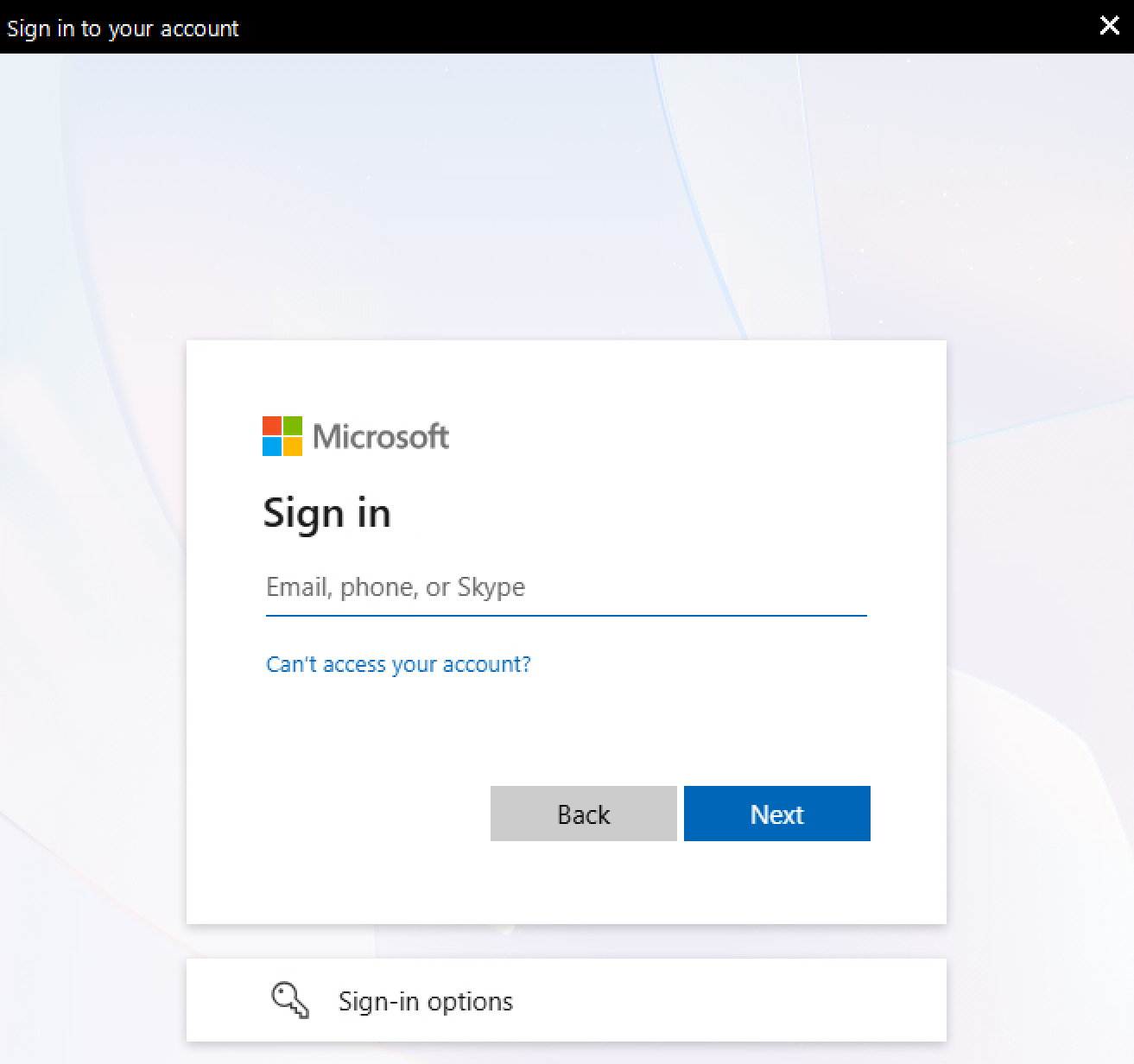
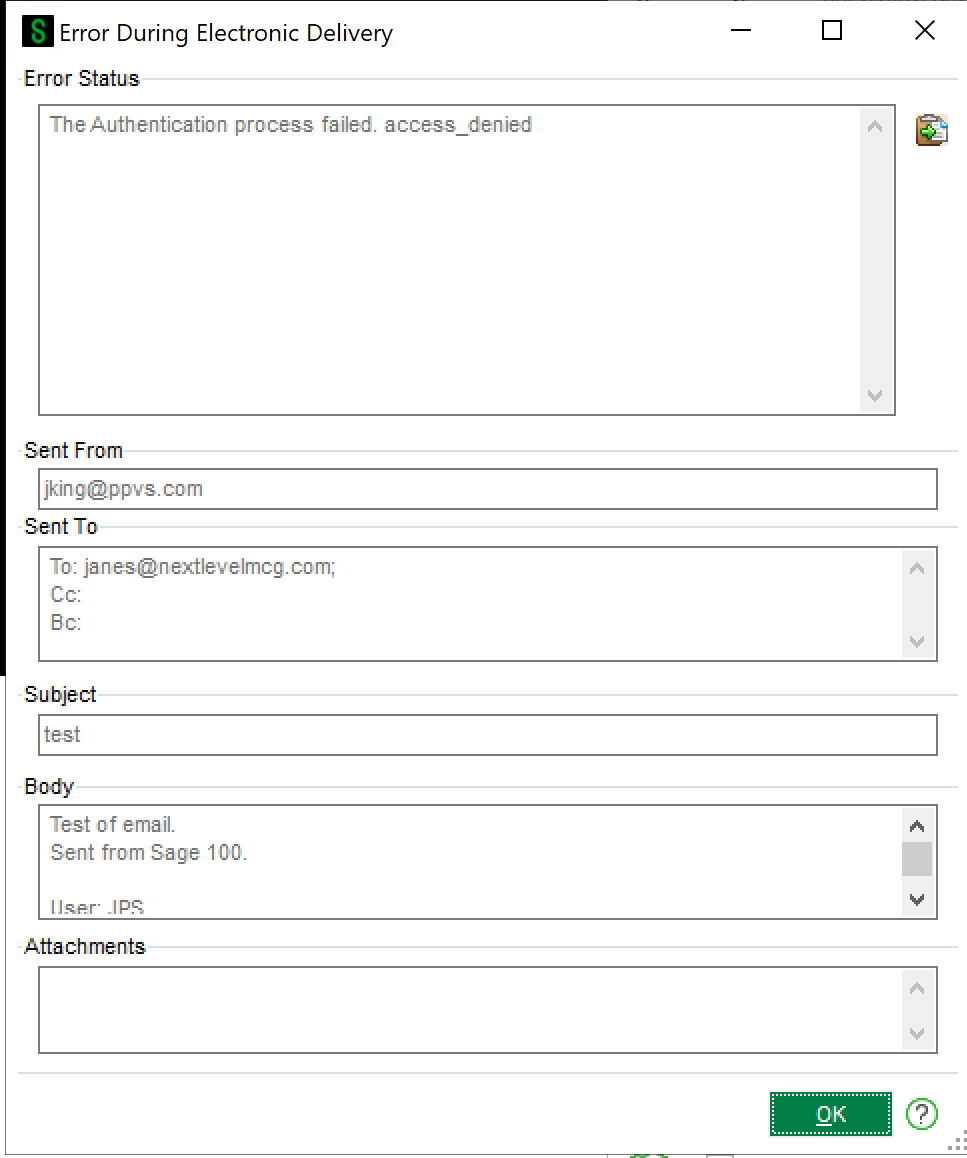
The message I gave in this thread is the full error message. Prior to that message appearing it prompts to sign into the Microsoft account:
------------------------------
Jane Scanlan
Partner
Next Level Manufacturing Consulting Group
Original Message:
Sent: 11-04-2025 11:16
From: Kevin Moyes
Subject: Sage 100 Email \ Paperless 2FA
Send the full SMTP error text to their IT firm / whoever manages their email.
I don't think Duo has anything to do with email 2FA.
------------------------------
Kevin Moyes
Technical Systems Analyst
Munjal White Consulting Co.
Toronto ON
Original Message:
Sent: 11-04-2025 11:03
From: Jane Scanlan
Subject: Sage 100 Email \ Paperless 2FA
@Kevin Moyes my client's emailing from Sage used to work, but as of yesterday stopped working. They are trying to send emails from Sage (customer invoices, direct deposit stubs) and they won't send because "the authentication process failed" message occurs. They have had DUO 2FA in place for over a year so I don't understand what has changed unless their outside IT firm changed something. Any ideas?
------------------------------
Jane Scanlan
Partner
Next Level Manufacturing Consulting Group
Original Message:
Sent: 09-12-2024 12:32
From: Kevin Moyes
Subject: Sage 100 Email \ Paperless 2FA
If they are asking for a 2FA prompt for every use of Paperless email, that is not going to happen (architecturally).
If they want to enable 2FA on the email address used for authentication, with an exception for Paperless, I think that is possible with an app password setup. (I'm not sure of the details, but expect someone else here has them).
------------------------------
Kevin Moyes
Technical Systems Analyst
Munjal White Consulting Co.
Toronto ON