Hi 90 Minders
Hope all is well.
I have an issue - as usual.
My client is running a third-party app that works perfectly when run from Windows Task Scheduler on the server - the issue is that it slows the system down to a halt at certain times. The Task Scheduler job is used to restart the app when the server is rebooted. When the program is run from a workstation (manually within Sage 100) it works as expected and the slowdown does not occur.
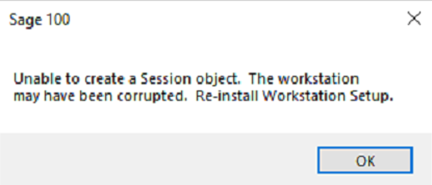
The problem is that I am not able to run the restart for the app on a workstation.
<v:shapetype id="_x0000_t75" coordsize="21600,21600" o:spt="75" o:preferrelative="t" path="m@4@5l@4@11@9@11@9@5xe" filled="f" stroked="f"> <v:stroke joinstyle="miter"> <v:formulas> <v:f eqn="if lineDrawn pixelLineWidth 0"> <v:f eqn="sum @0 1 0"> <v:f eqn="sum 0 0 @1"> <v:f eqn="prod @2 1 2"> <v:f eqn="prod @3 21600 pixelWidth"> <v:f eqn="prod @3 21600 pixelHeight"> <v:f eqn="sum @0 0 1"> <v:f eqn="prod @6 1 2"> <v:f eqn="prod @7 21600 pixelWidth"> <v:f eqn="sum @8 21600 0"> <v:f eqn="prod @7 21600 pixelHeight"> <v:f eqn="sum @10 21600 0"> </v:f></v:f></v:f></v:f></v:f></v:f></v:f></v:f></v:f></v:f></v:f></v:f></v:formulas> <v:path o:extrusionok="f" gradientshapeok="t" o:connecttype="rect"> </v:path></v:stroke></v:shapetype><v:shape id="Picture_x0020_1" o:spid="_x0000_i1025" type="#_x0000_t75" alt="A screenshot of a computer
AI-generated content may be incorrect." style="width: 207.5pt; height: 89pt; visibility: visible; mso-wrap-style: square;"> <v:imagedata src="file:///C:/Users/hoyte/AppData/Local/Temp/msohtmlclip1/01/clip_image001.png" o:title="A screenshot of a computer
AI-generated content may be incorrect"> </v:imagedata></v:shape>
Batch file on the workstation (where M is the local drive for the server)
@Echo Off
M:
cd M:\Home\
pvxwin32.exe -hd../launcher/sotapgm.ini ../soa/Startup.m4p -ARG DIRECT UION "Int Data" id ADL KC_MONITOR_UI
Any thoughts or suggestions would be greatly appreciated.
------------------------------
Jacqueline Hoyte
Director of Client Services
Integrated Data Technology, Inc.
------------------------------