Sage 100

 View Only
  • 1.  Removing Phantom Forms in v2024

    Posted 10-14-2025 18:03

    I am unable to find my SOP for cleaning up phantom forms displayed in Report Manager.  1st panel below
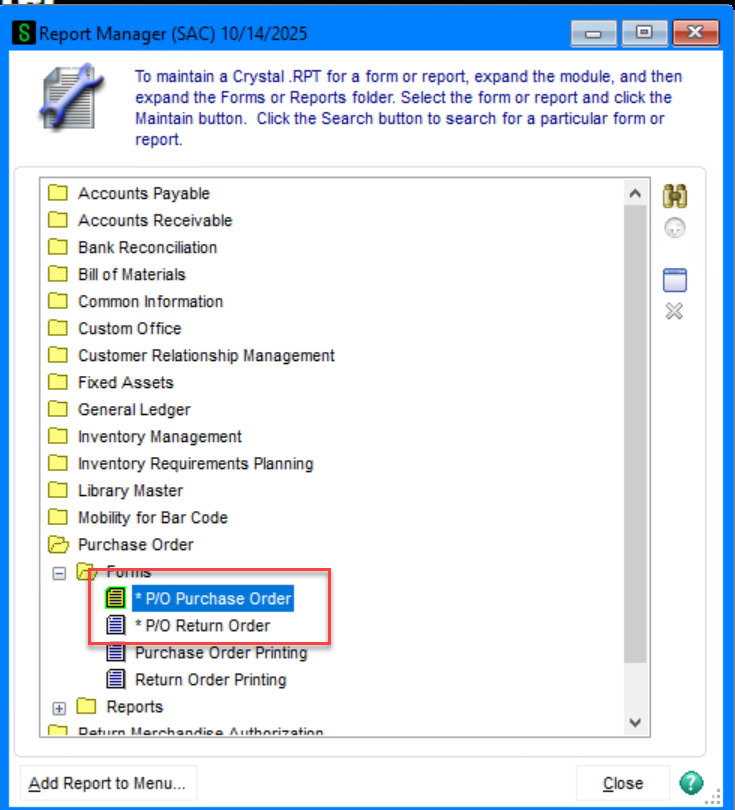
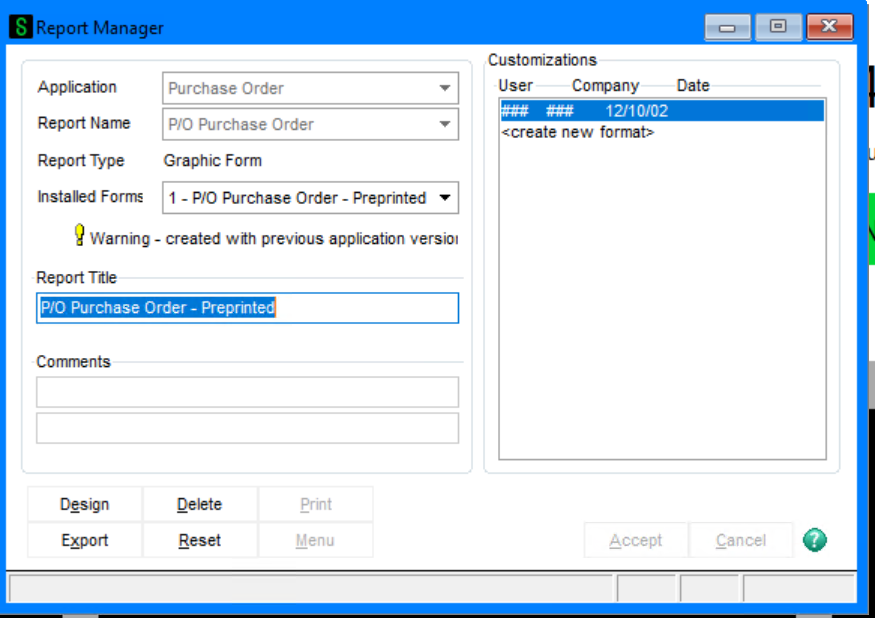
    I double click on the form above which opens the older report manager, which displays OLD information.  I click on delete, it goes through the motions but it doesn't delete.  Is there a short cut way or do I just comb through the report tables looking for the old stuff and delete them there?


    ------------------------------
    Jeff Schwenk
    Owner
    Bottomline Software, Inc.
    Waynesboro VA
    (540) 221-4444

    Improving bottom lines for over 25 years!
    ------------------------------


  • 2.  RE: Removing Phantom Forms in v2024

    Posted 10-15-2025 09:58

    Since it's bringing up the old Report Manager, it seems you probably need to select 'Purchase Order Printing' instead.  And when this still doesn't remove the forms from the Sage 100 printing screen, you should be able to delete the record in sy_reportsetting via dfdm.


    ------------------------------
    Brett Zimmerman
    Net at Work
    Greater Boston Area
    ------------------------------


  • 3.  RE: Removing Phantom Forms in v2024

    Posted 10-15-2025 10:10

    And don't forget SY_LastFormUsed - that's "revived" unwanted form codes for me before, darn it


    ------------------------------
    Beth Bowers
    Dog Mom, first and foremost. The rest is all just necessary to keep the dogs in biscuits.
    (269) 358-0989
    ------------------------------


  • 4.  RE: Removing Phantom Forms in v2024

    Posted 10-15-2025 10:29

    I made a list of tables... posted here:

    https://communityhub.sage.com/us/sage100/f/personalization-customization-and-productivity-tools/109669/removing-a-form-code 


    ------------------------------
    Kevin Moyes
    Technical Systems Analyst
    Munjal White Consulting Co.
    Toronto ON
    ------------------------------