Sage 100

 View Only
Expand all | Collapse all

Migration Error

  • 1.  Migration Error

    Posted 04-27-2021 18:54
    Edited by Nancy Hanson 04-27-2021 18:54
    2017 to 2020 Standard.  Located on Domain Controller (I know....but small company). 
    Already uninstalled WebRoot and still getting:
    2020 Sage is then hosed, can't remigrate, so I've been copying MAS90 directory back in and replacing files.  
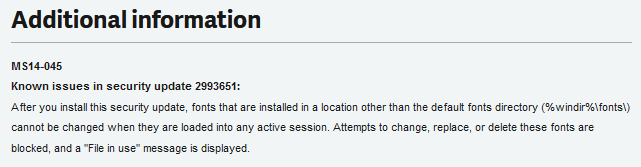
    But it keeps telling me \Home\TinyMCE\JS\Fonts.... is in use by another process.  
    I've rebooted several times with no success.
    Help!


    ------------------------------
    Nancy Hanson
    Blytheco LLC
    Eagan MN
    ------------------------------


  • 2.  RE: Migration Error

    Posted 04-27-2021 18:59
    Try manually uninstalling and reinstalling those little SOBs.  I've had this exact same thing happen before.  Browse to the Fonts folder in C:\Windows and you can uninstall them, then right click on them to reinstall.

    ------------------------------
    Beth Bowers
    Mom to Samson, Peanut, ChiChi, Canton, Cagney and Daisy (NO Oxford comma - shriek!)
    Tennessee Software Solutions
    ------------------------------


  • 3.  RE: Migration Error

    Posted 04-27-2021 19:01
    KB 97247

    ------------------------------
    Kevin Moyes
    Technical Systems Analyst
    Munjal White Consulting Co.
    Toronto ON
    ------------------------------


  • 4.  RE: Migration Error

    Posted 04-27-2021 19:14
    So those steps allowed me to rename the MAS90 folder/blow it away.  Still getting the Xcopyfile messge though.

    ------------------------------
    Nancy Hanson
    Blytheco LLC
    Eagan MN
    ------------------------------


  • 5.  RE: Migration Error

    Posted 04-28-2021 09:18
    Any update?

    ------------------------------
    Jeff Schwenk
    FORMER 90M Board Member
    Bottomline Software, Inc.
    Waynesboro VA
    ------------------------------


  • 6.  RE: Migration Error

    Posted 04-28-2021 09:40
    It is hanging on Copying the Providex Dictionairies according to the Migration Log document.  
    I tried renaming the files in both old and new to see if any one of them stopped me from renaming.  I was able to rename them all without incident.
    I uninstalled my 2020 as Webroot was still on the machine when I installed.  Reinstalled and still received the same Xcopyfile message.

    Unless someone has some ideas, I was thinking I would bring his 2017 and 2020 to my side and try the migration and then put his 2020 back in place.
    I am an Admin and UAC is turned off.  
    Didn't think to turn off Windows Defender till I was writing this up.  
    This company is vanilla, no third parties, etc. and other than the machine being the DC, nothing else is going on in the machine.  

    Hoping someone has some suggestions for me!
    Nancy

    ------------------------------
    Nancy Hanson
    Blytheco LLC
    Eagan MN
    ------------------------------


  • 7.  RE: Migration Error

    Posted 04-28-2021 10:17
    When migrating from a Providex system I tend to make a copy of the source MAS90 folder and migrate from that (instead of directly from the files in the Live path).

    ------------------------------
    Kevin Moyes
    Technical Systems Analyst
    Munjal White Consulting Co.
    Toronto ON
    ------------------------------


  • 8.  RE: Migration Error

    Posted 04-28-2021 10:18
    Yeah, I do too and I did do that.
    N

    ------------------------------
    Nancy Hanson
    Blytheco LLC
    Eagan MN
    ------------------------------


  • 9.  RE: Migration Error

    Posted 04-28-2021 10:20
    From the DSD support playbook: make sure the Read Only flag is off for everything in the MAS90 folders.

    ------------------------------
    Kevin Moyes
    Technical Systems Analyst
    Munjal White Consulting Co.
    Toronto ON
    ------------------------------


  • 10.  RE: Migration Error

    Posted 04-28-2021 10:23
    Here is my trick that works for me, go to the fonts folder and uninstall the tinymce and timemce-small font. Then immediately go to the folder MAS90\Home\TinyMCE\js\tinymce\skins\lightgray\fonts and rename the tinymce.ttf and timemce-small.ttf to .old (or something). Now move the .old files somewhere else (not in the MAS90) directory. Now reboot the server (machine) and you should be able to continue on.

    ------------------------------
    Jim Steele
    Orion Business & Accounting Solutions
    ------------------------------


  • 11.  RE: Migration Error

    Posted 04-28-2021 12:35
    OH, @Jim Steele - I NEEDED the last half of that trick!!!!!  Thank you!​

    ------------------------------
    Beth Bowers
    Mom to Samson, Peanut, ChiChi, Canton, Cagney and Daisy (NO Oxford comma - shriek!)
    Tennessee Software Solutions
    ------------------------------


  • 12.  RE: Migration Error

    Posted 04-28-2021 12:50
    Jim - if I'm currently able to rename the MAS90 folder, once I remove the files you indicate, is a reboot necessary?  It determines if I try this today or tonight.
    N

    ------------------------------
    Nancy Hanson
    Blytheco LLC
    Eagan MN
    ------------------------------


  • 13.  RE: Migration Error

    Posted 04-28-2021 13:29
    Hi Nancy, 

    If you can rename the folder then you should be good, the system is not holding the font files open.

    ------------------------------
    Jim Steele
    Orion Business & Accounting Solutions
    ------------------------------


  • 14.  RE: Migration Error

    Posted 04-28-2021 13:33
    My Migration log indicates the Providex Dictionaries are not being copied.  But I've been able to rename them all too without any problems.

    ------------------------------
    Nancy Hanson
    Blytheco LLC
    Eagan MN
    ------------------------------


  • 15.  RE: Migration Error

    Posted 04-28-2021 15:21
    UPDATE:  SUCCESS!!!!!!!!!!!!!!!!!
    I don't know what happened/released other than IT installed Webroot again this morning and gave me power to 'shutdown' the Webroot program.
    I made sure I could rename both old and new MAS90 directories.
    I made sure the Activate.pvx was not in a Migrate_Activate.pvx state.
    I migrated while attending another meeting.  I almost screamed outloud when I passed the problem area and then again when I had success.
    What a waste of 4 hours of my life!
    Now off to get my 2nd Covid Shot - wish me luck!
    Thanks everyone for your suggestions.
    N

    ------------------------------
    Nancy Hanson
    Blytheco LLC
    Eagan MN
    ------------------------------


  • 16.  RE: Migration Error

    Posted 04-29-2021 09:30
    This can be closed and moved
    Thank you
    N

    ------------------------------
    Nancy Hanson
    Blytheco LLC
    Eagan MN
    ------------------------------


  • 17.  RE: Migration Error

    Posted 07-29-2021 09:25
    Back to this one.  Once the two bad boy fonts are uninstalled, renamed, server rebooted and back up MAS90 folder restored, do we care if the two fonts are not reloaded into the Windows font folder on the server?

    ------------------------------
    Jeff Schwenk
    FORMER 90M Board Member -140,000,000 is a TERRIBLE thing to waste!!!
    Bottomline Software, Inc.
    Waynesboro VA
    540-221-4444
    ------------------------------