The only idea I have is someone setting a filter on the default view. That's usually fairly easy to notice though...
------------------------------
Kevin Moyes
Technical Systems Analyst
Munjal White Consulting Co.
------------------------------
Original Message:
Sent: 05-23-2023 19:16
From: Jon Parkinson
Subject: Item lookup in Sales Order and Purchase order stops working in v2022
Kevin -
In further testing, I am now able to get custom lookups to run as well. Not sure what the original issue was. As mentioned, it did work in PO, just not SO, for both the client and me. Doesn't make sense. I will post more as I figure out more. Thanks again.
------------------------------
Jon Parkinson
Timac Business Systems
------------------------------
Original Message:
Sent: 05-23-2023 19:05
From: Kevin Moyes
Subject: Item lookup in Sales Order and Purchase order stops working in v2022
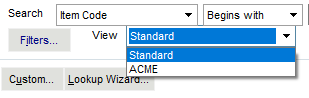
Like this? I already had a custom lookup (from previous testing).
------------------------------
Kevin Moyes
Technical Systems Analyst
Munjal White Consulting Co.
Original Message:
Sent: 05-23-2023 19:02
From: Jon Parkinson
Subject: Item lookup in Sales Order and Purchase order stops working in v2022
Kevin - thanks for your help. I have more information. If you have no customized lookup at all - it works! But as soon as you create a new one - it stops working. Give that a try, please.
------------------------------
Jon Parkinson
Timac Business Systems
Original Message:
Sent: 05-23-2023 18:49
From: Kevin Moyes
Subject: Item lookup in Sales Order and Purchase order stops working in v2022
------------------------------
Kevin Moyes
Technical Systems Analyst
Munjal White Consulting Co.
Original Message:
Sent: 05-23-2023 18:48
From: Jon Parkinson
Subject: Item lookup in Sales Order and Purchase order stops working in v2022
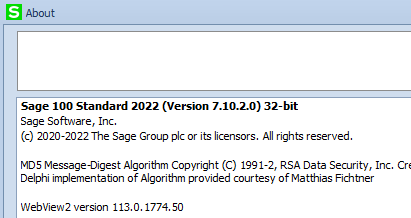
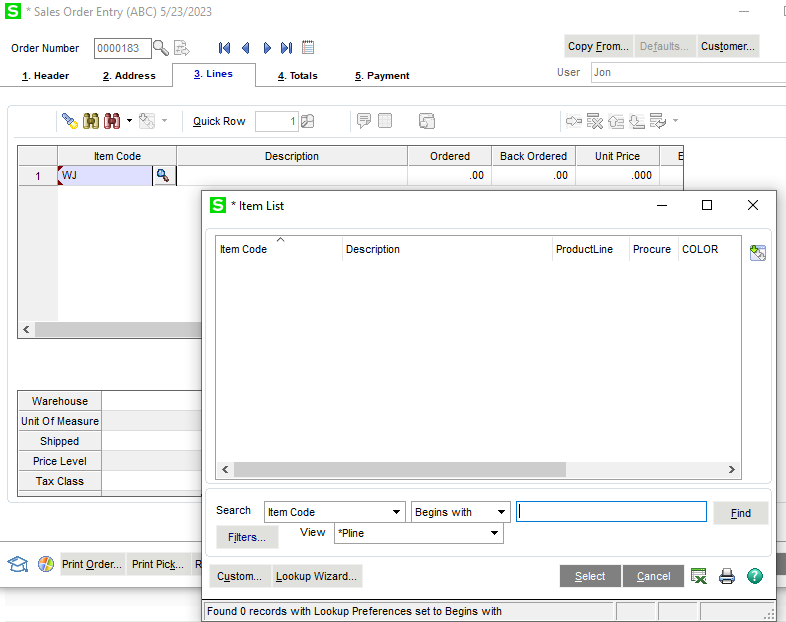
Not working for me. Are you using v2022?
------------------------------
Jon Parkinson
Timac Business Systems
Original Message:
Sent: 05-23-2023 18:45
From: Kevin Moyes
Subject: Item lookup in Sales Order and Purchase order stops working in v2022
Works for me.
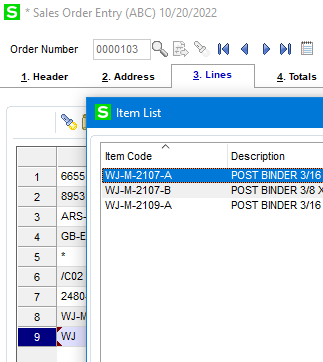
I wonder if somehow the enhanced search index was run / activated.
------------------------------
Kevin Moyes
Technical Systems Analyst
Munjal White Consulting Co.