Thanks I'll keep poking at it, really seems it should be just as simple as setvalue the itemcodedesc and Sage logic takes it from there...really wasn't expecting to get stuck on this one....I'll post back here if I figure it out just so it's "in the record"
Original Message:
Sent: 09-16-2024 19:44
From: Kevin Moyes
Subject: Item Extended Description updated/set by script
From what I understand, InvokeChange mimics user data entry... and the nuance of how that might work on a pre-write event is not something I can say much about.
My general rule: try different things until you find something that works! Changing to an Accept+ button is certainly worth a try.
(I like to name enhanced Sage buttons with a "+" to have a visual indication they are running the customized button).
------------------------------
Kevin Moyes
Technical Systems Analyst
Munjal White Consulting Co.
Toronto ON
------------------------------
Original Message:
Sent: 09-16-2024 19:38
From: Chris Mengerink
Subject: Item Extended Description updated/set by script
Kevin,
Thanks for feedback! It doesn't appear to be working though on a pre-write event. Here is what happens
Item initially
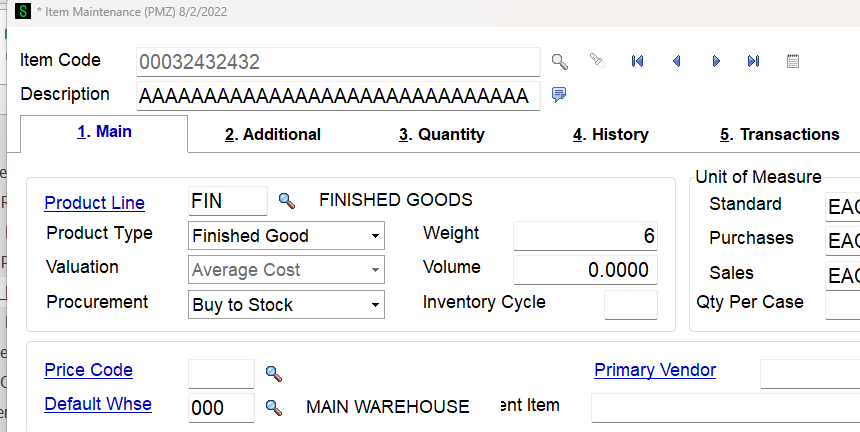
make a change to a field on the item, click "Accept" and this comes up
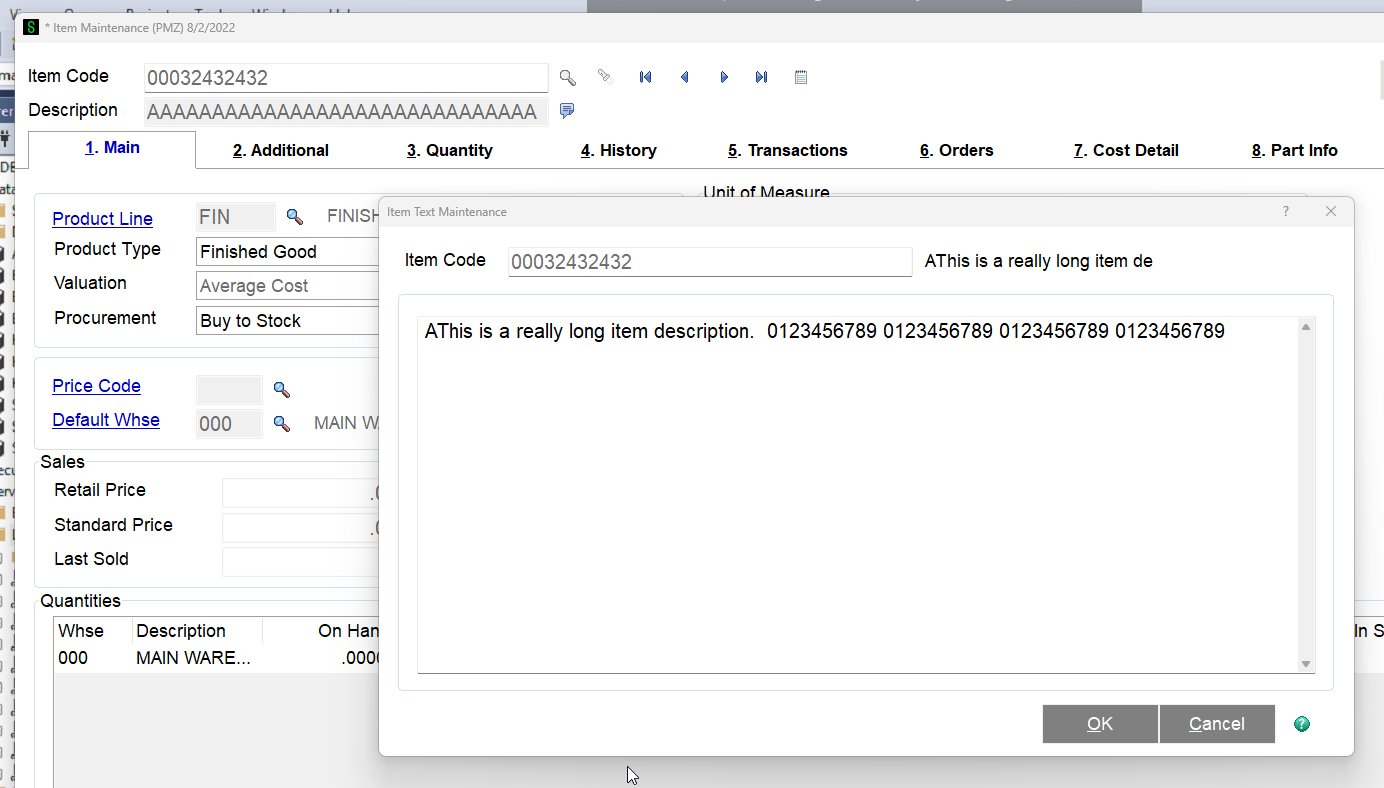
Click "OK"
This comes up:
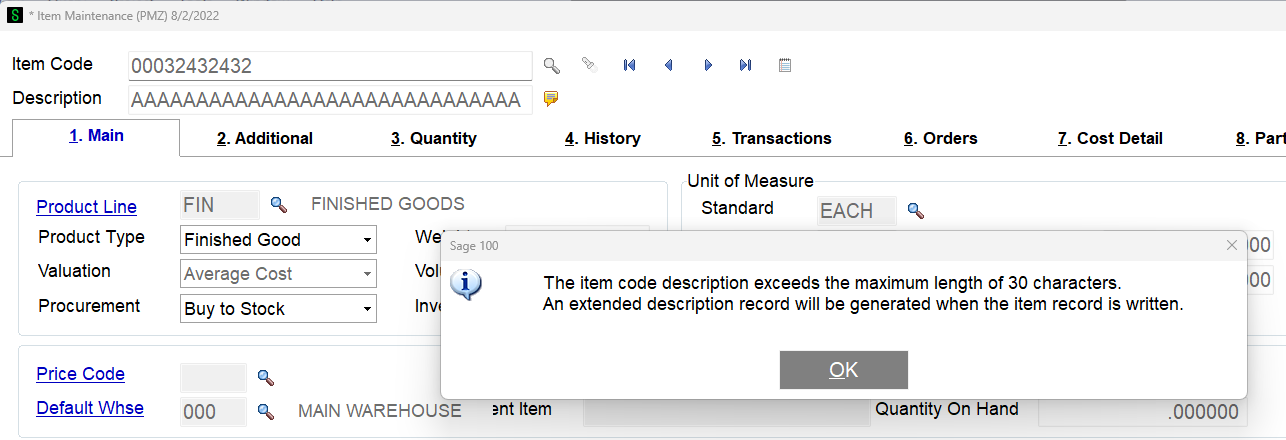
Click "OK" and the record act's like it's saved.
Go back to the item record and notice it didn't actually create/update the extended description
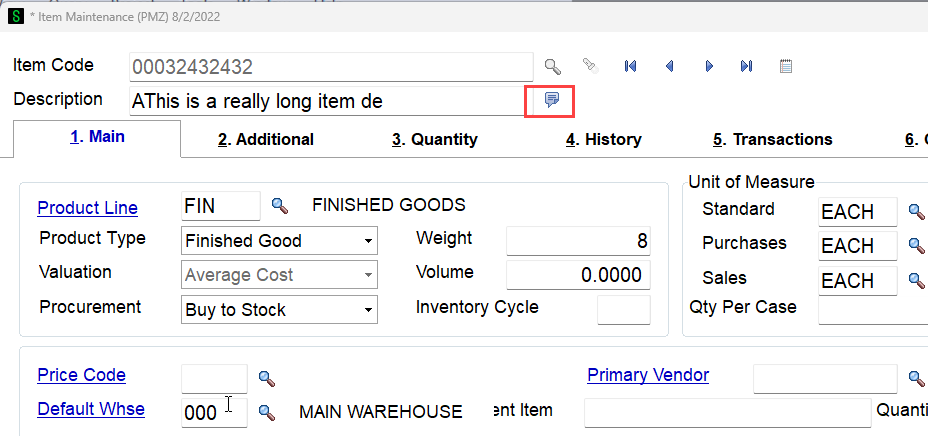
Do you think I would need to do a hidden button over accept and call my own code then the accept button? I see yours was firing from a button.
------------------------------
Chris Mengerink
Partner
DWD Technology Group
Original Message:
Sent: 09-16-2024 18:16
From: Kevin Moyes
Subject: Item Extended Description updated/set by script
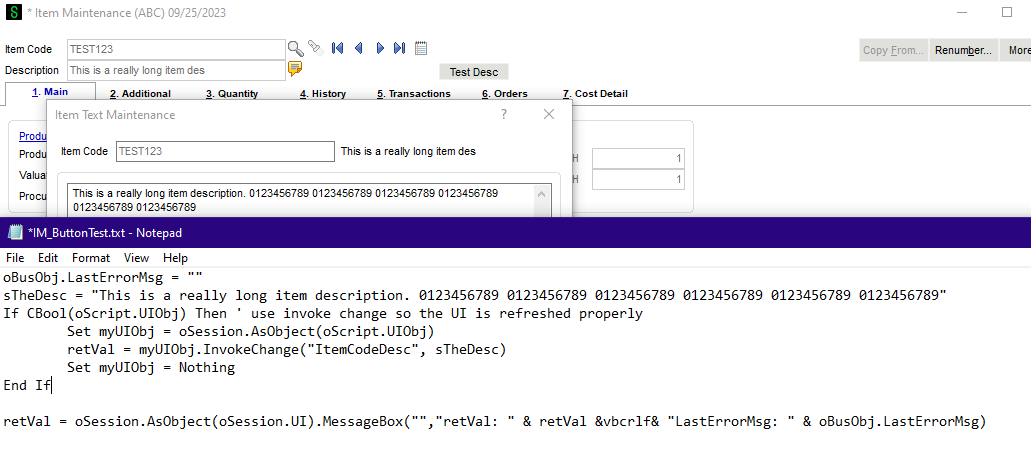
------------------------------
Kevin Moyes
Technical Systems Analyst
Munjal White Consulting Co.
Toronto ON
Original Message:
Sent: 09-16-2024 18:03
From: Chris Mengerink
Subject: Item Extended Description updated/set by script
Kevin, I would expect the same, it doesn't.....I found this old entry that included you in Sage City
https://communityhub.sage.com/us/sage100/f/business-object-interface/159284/setvalue-for-itemcodedesc-creating-extended-descriptions/450744
But that doesn't seem to be working on the Sage 100 2023 Premium they are on....
------------------------------
Chris Mengerink
Partner
DWD Technology Group
Original Message:
Sent: 09-16-2024 17:18
From: Kevin Moyes
Subject: Item Extended Description updated/set by script
SetValue on the ItemCodeDesc "should" be all that is needed. (I know in VI it is all automatic, but am not 100% sure about scripting).
I'd expect something like a -1 retVal and warning text (about too many characters), but Sage programming "should" translate the longer item description value into the extended record automatically.
------------------------------
Kevin Moyes
Technical Systems Analyst
Munjal White Consulting Co.
Toronto ON