90 Minds Community

 View Only
  • 1.  How to Change the Picture in the Sage 100 Information Center

    Posted 01-25-2023 12:08
    I have a request to change the picture of the woman at the top of the Information Center panel. I think that @Jeff Schwenk previously posted a way to do this, but I can't find that post. This is of minor importance, IMO, but it's bugging my customer.

    Karen​

    ------------------------------
    Karen O'Lane
    Accounting Systems, Inc. (ASI)
    kolane@asifocus.com
    90 Minds Secretary
    ------------------------------


  • 2.  RE: How to Change the Picture in the Sage 100 Information Center

    Posted 01-25-2023 13:37
    Edited by Jeff Schwenk 01-25-2023 13:37
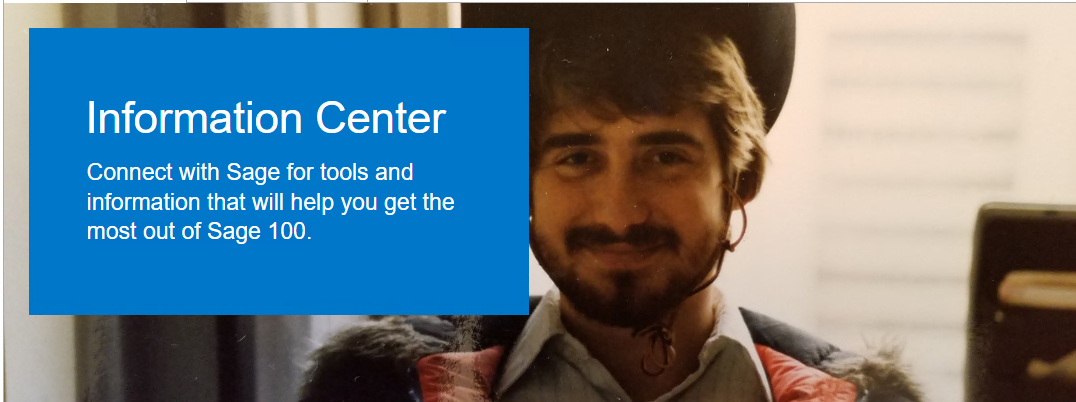
    What version are you looking at?  They changed the process in v2022 so that the images are pulled from a hard coded website.  This was confirmed during an erlier 90M / Sage IT webinar.  If it is an earlier version, right click on an image to look at the underlying HtML.  There are a couple image files in play plus you can modify the information center text to reference your company instead of the mundane Sage rambling.  Below is a sample,  It is my "Urban Cowboy Chic" modification.  VERY, VERY popular across all demographics!


    ------------------------------
    Jeff Schwenk
    Bottomline Software, Inc.
    (540) 221-4444
    ------------------------------


  • 3.  RE: How to Change the Picture in the Sage 100 Information Center

    Posted 01-25-2023 13:46
    Jeff, that's what I remembered! Thank you. Unfortunately, this customer is on v2022. Of all the things to lock down, why is this one of them? Your visage would be better than their current selections.

    Karen

    ------------------------------
    Karen O'Lane
    Accounting Systems, Inc. (ASI)
    kolane@asifocus.com
    90 Minds Secretary
    ------------------------------


  • 4.  RE: How to Change the Picture in the Sage 100 Information Center

    Posted 01-25-2023 13:59
    Edited by Brett Zimmerman 01-25-2023 13:59
    Ha, I brought that up last year, lol.
    https://community.90minds.com/communities/community-home/digestviewer/viewthread?GroupId=13&MessageKey=beef9e5b-be46-4776-b703-973bbfc31379&CommunityKey=4593d843-4557-43ff-ba4d-6240681ed696

    ------------------------------
    Brett Zimmerman
    Net at Work
    Greater Boston Area
    ------------------------------


  • 5.  RE: How to Change the Picture in the Sage 100 Information Center

    Posted 01-25-2023 14:08
    I did notice that if v2021 (ADV) had a modified panel, it carried over to the v2022 install. I haven't taken the time to trace this down.

    ------------------------------
    Jeff Schwenk
    Bottomline Software, Inc.
    (540) 221-4444
    ------------------------------