OK I tested and yes you can do it with a sub report.
Create a formula "ReportSettings" to get just the folder that the rpt file is in
// Formula: ReportFolderName
Local StringVar fullpath := Filename;
Local NumberVar lastSlash := InStrRev(fullpath, "\");
Local NumberVar prevSlash := InStrRev(Left(fullpath, lastSlash - 1), "\");

Mid(fullpath, prevSlash + 1, lastSlash - prevSlash - 1)
Then create a sub report to SY_ReportSetting. In my test I did a select expert for these fields and hardcoded the values.
CompanyKey
ModuleCode
ReportID
I suppressed detail that had a value in the workstationName field. The default name doesn't have any value in this field. Just note that the workstation can have different descriptions.If you want the specific workstation description for that setting, that will be a little harder.
Then did a sub report link from the formula "ReportSettings" to the field ReportSetting
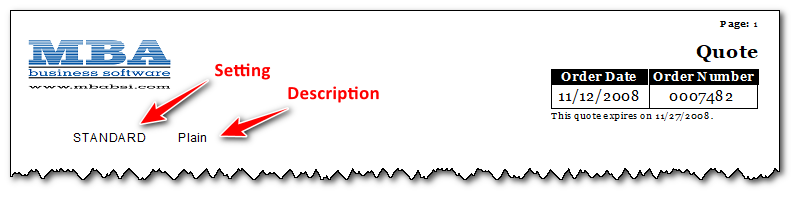
I had to see if it could be done and it can.
------------------------------
Todd Martin
MBA Business Software
https://www.mbabsi.com------------------------------
Original Message:
Sent: 09-16-2025 14:33
From: Kevin Moyes
Subject: Getting the report Description to print on the standard Sage report
I don't know of any way to do what you ask.
If the report settings don't have their own Crystal Report, the easiest solution would be a text parameter that they enter / choose when printing.
If there is a custom report per setting, just hard-code the description into the report.
------------------------------
Kevin Moyes
Technical Systems Analyst
Munjal White Consulting Co.
Toronto ON
------------------------------