So this works, but why is it necessary, and what is a better method?
create 2 additional formulas to convert aging date to text then back to a date
@agingdate2 = totext({@ageingdate})
@agingdate3 = cdate({@agingdate2})
@CalculatedDaysDelinquent = DateDiff("d", {AR_AgedInvoiceWork.InvoiceDueDate}, {@agingdate3})
------------------------------
Greg Stiles
S & W Microsystems
------------------------------
Original Message:
Sent: 03-07-2023 16:48
From: Kevin Moyes
Subject: Error in DateDiff formula in Crystal Reports
It's probably coming in as text. Add another formula to convert that field to a date?
------------------------------
Kevin Moyes
Technical Systems Analyst
Munjal White Consulting Co.
------------------------------
Original Message:
Sent: 03-07-2023 16:23
From: Greg Stiles
Subject: Error in DateDiff formula in Crystal Reports
Just confirmed - the field @AgeingDate is set to whatever is entered on the report screen, despite the formula being set to CurrentDate.
So why does it not work in the DateDiff formula?
------------------------------
Greg Stiles
S & W Microsystems
Original Message:
Sent: 03-07-2023 16:18
From: Greg Stiles
Subject: Error in DateDiff formula in Crystal Reports
Now that I have looked to confirm the formula, expecting it to be Formula = "", it's actually Formula = CurrentDate.
You know what happens when you assume!
So maybe my work around of adding a parameter for AgeingDate (they have to enter the same date as on the report screen) is the best option?
------------------------------
Greg Stiles
S & W Microsystems
Original Message:
Sent: 03-07-2023 16:12
From: Greg Stiles
Subject: Error in DateDiff formula in Crystal Reports
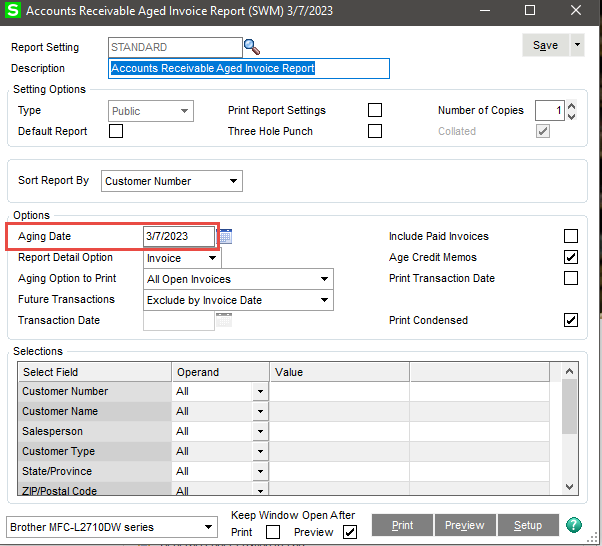
------------------------------
Greg Stiles
S & W Microsystems
Original Message:
Sent: 03-07-2023 16:10
From: Kevin Moyes
Subject: Error in DateDiff formula in Crystal Reports
From the report screen at runtime? You mean a report parameter? Make sure it is set to Date type, and not as a range, nor allowing multiple values.
------------------------------
Kevin Moyes
Technical Systems Analyst
Munjal White Consulting Co.
Original Message:
Sent: 03-07-2023 15:41
From: Greg Stiles
Subject: Error in DateDiff formula in Crystal Reports
It does have the curly brackets, there are no syntax errors, the formula verifies. When I typed it above I was abbreviating for clarity.
------------------------------
Greg Stiles
S & W Microsystems
Original Message:
Sent: 03-07-2023 15:21
From: Kevin Moyes
Subject: Error in DateDiff formula in Crystal Reports
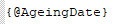
If it's a formula field, make sure you include the curly brackets.
------------------------------
Kevin Moyes
Technical Systems Analyst
Munjal White Consulting Co.
Original Message:
Sent: 03-07-2023 15:05
From: Greg Stiles
Subject: Error in DateDiff formula in Crystal Reports
@Phil McIntosh I have tested it on Standard and Advanced.
@Kevin Moyes it seems to be complaining about the formula field @AgeingDate which comes from the report screen at runtime. Definitely not blank.
The formula works if I replace @AgeingDate with another date field, say InvoiceDate, and also works if I use #3/7/2023#
------------------------------
Greg Stiles
S & W Microsystems
Original Message:
Sent: 03-07-2023 13:28
From: Kevin Moyes
Subject: Error in DateDiff formula in Crystal Reports
Check for null values and blanks. Sage usually cleans those up for work tables, but that would depend on their programming.
------------------------------
Kevin Moyes
Technical Systems Analyst
Munjal White Consulting Co.