Sage 100

 View Only
  • 1.  Do you want to save changes to ( paperless office PDF ) before closing? [Adobe Acrobat]

    Posted 01-21-2025 10:47

    A customer on Sage 100 Standard 2023 writes:

    I saw this error message pop up earlier today. I said "NO" and it lets me update the transaction journal. Is there a setting I need to change?I saw it in multiple companies when booking a transaction journal entry.
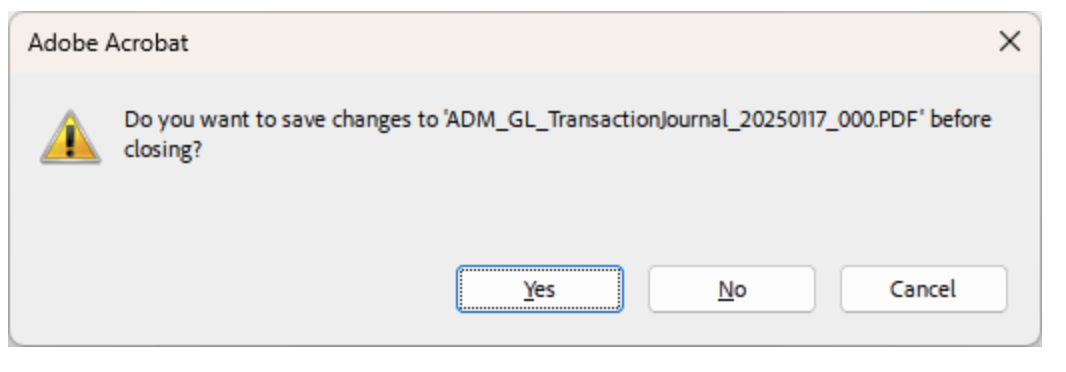
    I'm pretty sure I've seen this before and that it's some type of setting inside the full version of Adobe Acrobat. Anyone have a specific option that I can check to keep this prompt from occurring? I have looked in the Adobe forums and it's your typical person asking the same question and then 13 responses of which 12 are fighting with each other over their bad interpretation of the original question.


    ------------------------------
    Wayne Schulz
    wayne@s-consult.com
    Schulz Consulting
    (860) 516-8990
    CT
    ------------------------------


  • 2.  RE: Do you want to save changes to ( paperless office PDF ) before closing? [Adobe Acrobat]

    Posted 01-21-2025 14:10

    Try setting the default PDF program to Edge or Chrome to determine what effect this has on the update.  Did use recently install 64 bit adobe over 32 bit?  


    ------------------------------
    Jeff Schwenk
    Owner
    Bottomline Software, Inc.
    Waynesboro VA
    (540) 221-4444

    Improving bottom lines for over 25 years!
    ------------------------------


  • 3.  RE: Do you want to save changes to ( paperless office PDF ) before closing? [Adobe Acrobat]

    Posted 01-21-2025 14:31

    They say the full version of Adobe is in use for some form filling type work (unrelated to Sage). I'm hesitant to swap the default PDF viewer for fear that it could disrupt their other workflow, however I'm thinking that might be the way to go.


    ------------------------------
    Wayne Schulz
    wayne@s-consult.com
    Schulz Consulting
    (860) 516-8990
    CT
    ------------------------------