Sage 100

 View Only
  • 1.  Can Sage Intelligence take advantage of CS ODBC Driver ?

    Posted 01-08-2021 20:57
    I have a customer running on Advanced v2018 with 45 users where every single wkstn is remotely connected over a slower type connection to the server. It is a direct high speed fiber connection to another building a few miles away. There is no VPN to connect thru but there is also no RDS/Terminal Server / Citrix either. For the most part it works well, except for slow printing / reporting of course. I solved half of that by turning on CS ODBC driver. But the other half uses Sage Intelligence (SI) all day and that runs slow of course because it's still processing the ODBC from the workstation (Mas90 style). 

    I think I'm the only one who doesn't know SI here so my dumb question is can SI can be configured to use CS ODBC? A related question would be can I override SI and pass in my own ODBC connection string or append to the one SI uses? If so then I can easily add the CS ODBC properties to it (RemotePVKIOHost=<Sage_server> and  RemotePVKIOPort=20222) it. I've done that with other apps that use ODBC.

    ------------------------------
    Alnoor Cassim

    Email: alnoor@asifocus.com
    Ph: 949-689-9887
    Orange County, CA
    ------------------------------


  • 2.  RE: Can Sage Intelligence take advantage of CS ODBC Driver ?

    Posted 01-09-2021 08:37
    Alnoor -

    I used Steve Pavell on an SI engagement - SteveP@dsdinc.com. He is very knowledgeable. You might send him an email and see what he can offer.

    ---------------------------------
    Wayne Schulz - Schulz Consulting - 860-516-8990
    ---------------------------------


  • 3.  RE: Can Sage Intelligence take advantage of CS ODBC Driver ?

    Posted 01-09-2021 10:00
    Edited by Doug Higgs 01-09-2021 10:01
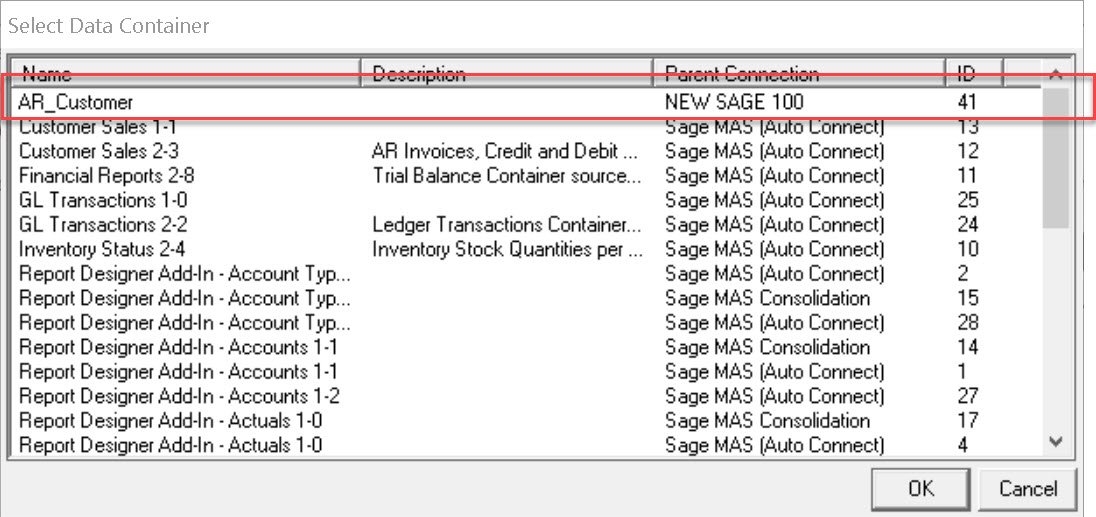
    I'm not sure if you can take advantage of the CS ODBC driver, however, you can create your own connectors and then create a container of data sources to connect to.  You could create a custom DSN using Windows ODBC configuration then create containers for the DSN in SI.  I know you can create new reports and specify the container when you create the new report.  I don;t know if you can change the container associated with an existing report.  See the screen shots below:

    Create a System DSN using Windows ODBC Configuration

    SI, Setup, Connector

    Locate System DSN then click Add Connection at the top

    SSelect either a single table or a SQL join to create the data structure.


    SI, Reports, Report Manager.  Right Click on "Financials" or any other category then click Add Report.

    ------------------------------
    Doug Higgs
    Midwest Commerce Solutions, Inc
    (312) 315-0960
    Assistant to the Traveling Secretary
    ------------------------------