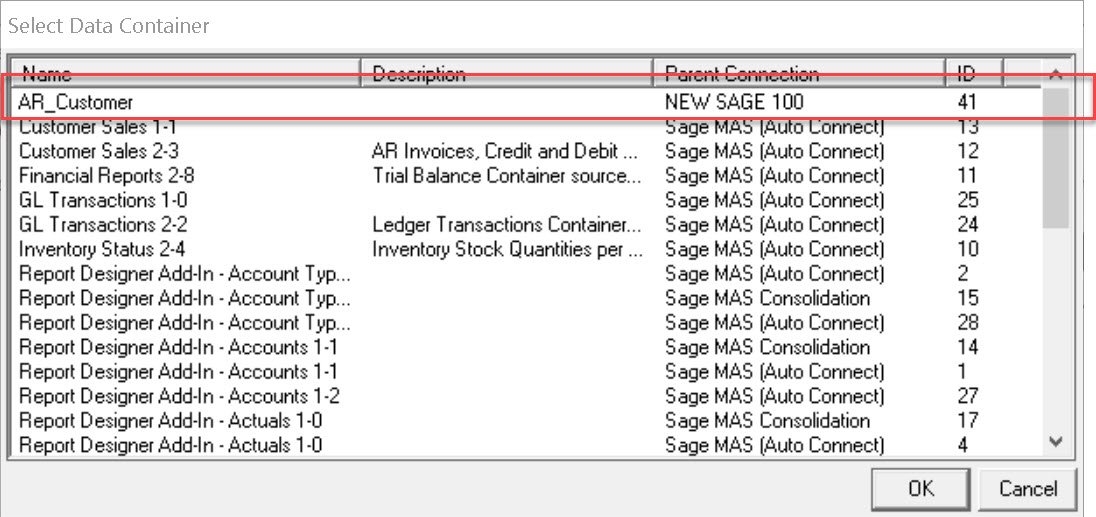
I'm not sure if you can take advantage of the CS ODBC driver, however, you can create your own connectors and then create a container of data sources to connect to. You could create a custom DSN using Windows ODBC configuration then create containers for the DSN in SI. I know you can create new reports and specify the container when you create the new report. I don;t know if you can change the container associated with an existing report. See the screen shots below:
Create a System DSN using Windows ODBC Configuration
SI, Setup, Connector
Locate System DSN then click Add Connection at the top
SI, Reports, Report Manager. Right Click on "Financials" or any other category then click Add Report.
------------------------------
Doug Higgs
Midwest Commerce Solutions, Inc
(312) 315-0960
Assistant to the Traveling Secretary
------------------------------