We did figure out what the issue was.
I would have never guessed this is what the issue was but …… Office 365 for Office 2024 defaults ActiveX controls to disabled.
Sage Intelligence reports use ActiveX functionality.
The original error message was:
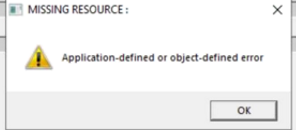
Client had saved the last Sage Intelligence Report he ran. We were trying to determine when the template was last working so we could restore the Sage Intelligence templates from backup as directed by Sage Tech Support. When he attempted to open the report, he received this message below:
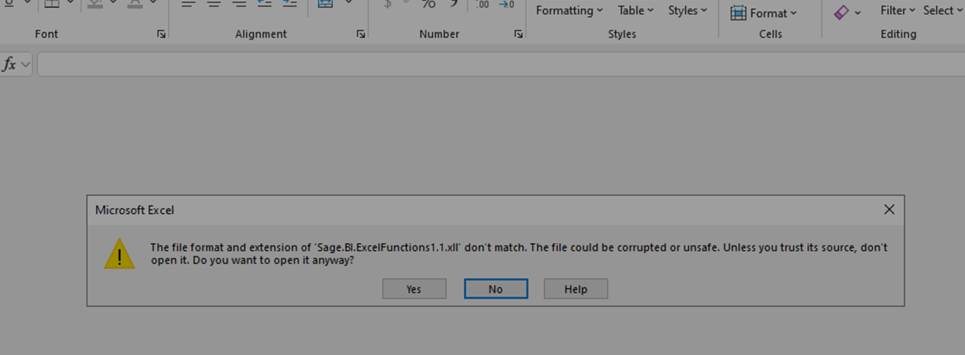
We clicked YES and it opened excel, with a banner making reference to the ActiveX issue with the message and link provided below.
ActiveX controls are disabled by default in Microsoft 365 and Office 2024 https://support.microsoft.com/en-us/office/activex-controls-are-disabled-by-default-in-microsoft-365-and-office-2024-9cae60f8-478c-42c6-978c-eca072525d64
Below are the steps to enable ActiveXcontrols.
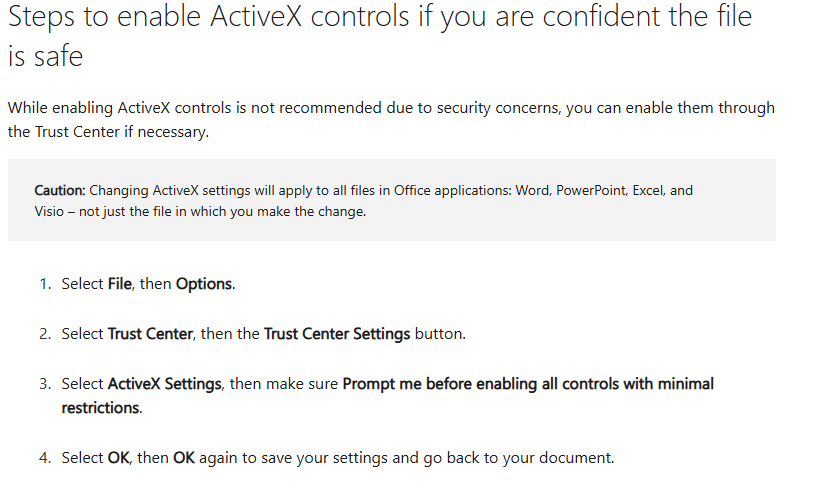
I enabled this in Excel on the workstation and reran the Custom Financial Report.
Worked as intended.
Hope this helps someone with this issue.
------------------------------
Scotia Saunders
Keystone Business Solutions
scotia@teamkbs.com------------------------------