Makes perfect sense to edit attachments from the Library. After all, that is where all attachments end up so that they can be searched independently of the discussion threads. After conversion, we will set up a library (or more as needed) to house our Knowledge Base articles, permanent information, product updates, etc. Can't set it up now, since conversion resets all our threads and libraries. More news on that after Jan 11, thanks for taking the time to test and post
@Dan Burleson
------------------------------
Moira Goggin
Executive Director
90 Minds, Inc.
------------------------------
Original Message:
Sent: 01-05-2019 14:06
From: Dan Burleson
Subject: Amazing Shipping Container/PO Tracking
It appears the way to replace an attached file is to go to the LIBRARY section of COMMUNITIES and edit it there.
After editing the body of a LIBRARY element the navigation buttons indicate that the NEXT screen will provide for TAGS with the message "(Next up: Add Tags and Keywords)" yet no such provision exists after clicking NEXT.
------------------------------
Dan Burleson
Software Consultant
Corvallis OR
541-829-1054
------------------------------
Original Message:
Sent: 01-04-2019 19:06
From: Moira Goggin
Subject: Amazing Shipping Container/PO Tracking
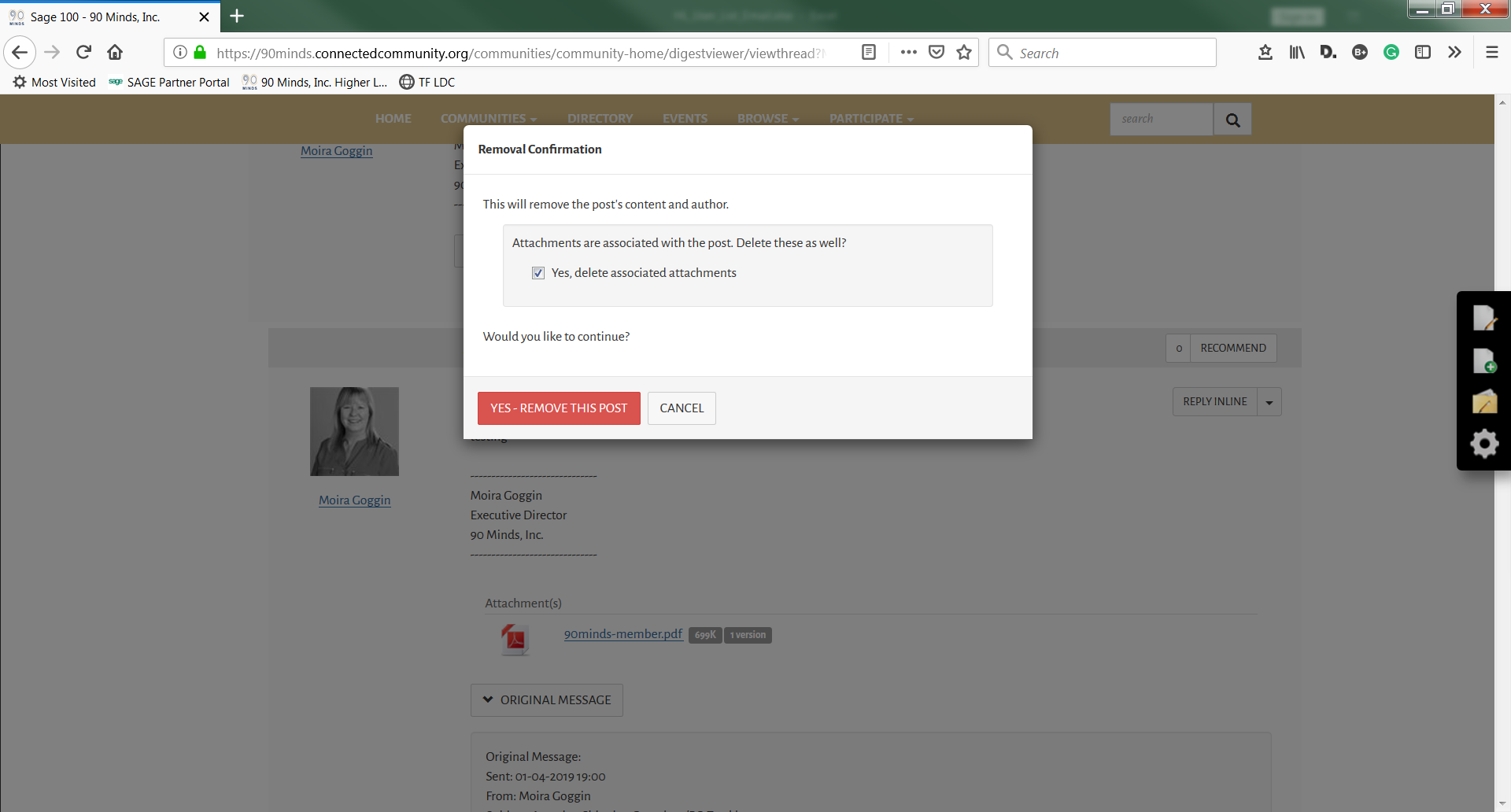
It looks like you need to delete the message and then it prompts for attachment removal. Attachments, once posted, are stored in Libraries, so I understand why there may be a two-step process. Interesting too, the post is deleted and the deletion is listed as "anonymous".
------------------------------
Moira Goggin
Executive Director
90 Minds, Inc.
Original Message:
Sent: 01-04-2019 19:00
From: Moira Goggin
Subject: Amazing Shipping Container/PO Tracking
At the reply button, top right of your message, select edit. It should allow you to change the post including the attachment.
------------------------------
Moira Goggin
Executive Director
90 Minds, Inc.
Original Message:
Sent: 01-04-2019 14:51
From: Dan Burleson
Subject: Amazing Shipping Container/PO Tracking
Does anyone see how to delete/replace an attachment once posted? There is an Edit option in the Reply control, but I do not see where/how to affect an existing attachment.
Non-Macro version attached...
------------------------------
Dan Burleson