I feel like Goldilocks when resizing the screen acreage. Not too hot, not too cold. But how many tries before I get to the "just right"!!!! Where I run into issues is when 3rd parties have modified the screen. Always hit or miss. Modifying the single panel without tabs was easy-peasy compared to the multi-tab challenge.
Bottomline Software, Inc.
Original Message:
Sent: 09-10-2025 07:54
From: Brett Zimmerman
Subject: Adding Custom Office Tab to a Panel that Does NOT have Tabs
Not too surprising, @Jeff Schwenk. Exactly why I do my best to avoid re-sizing screens. Plus, typically some users may then have issues if they already had their screen re-sized/formatted.
------------------------------
Brett Zimmerman
Net at Work
Greater Boston Area
------------------------------
Original Message:
Sent: 09-09-2025 23:56
From: Kevin Moyes
Subject: Adding Custom Office Tab to a Panel that Does NOT have Tabs
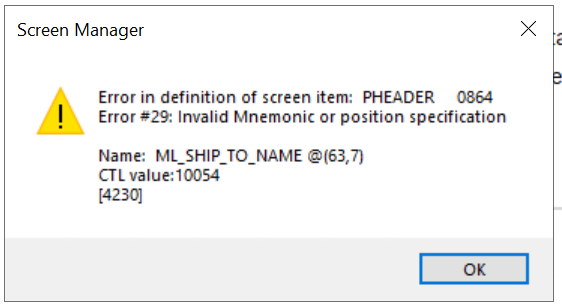
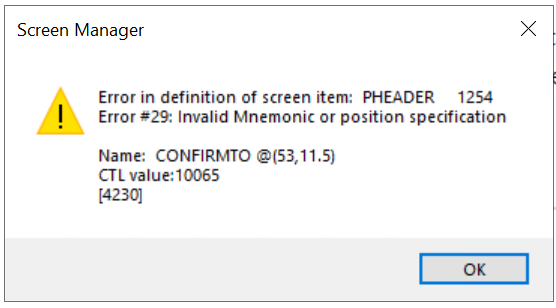
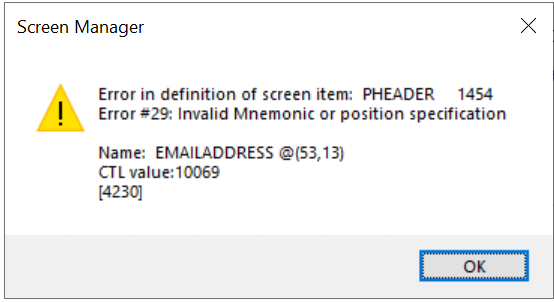
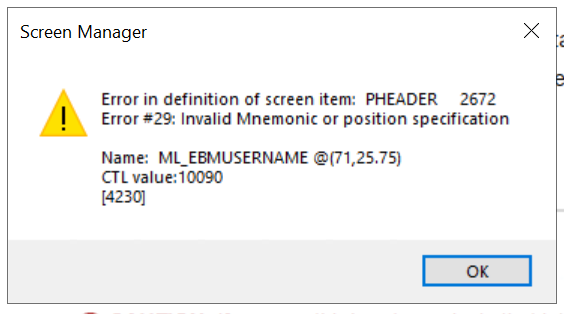
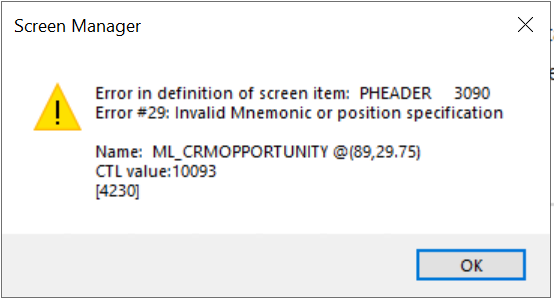
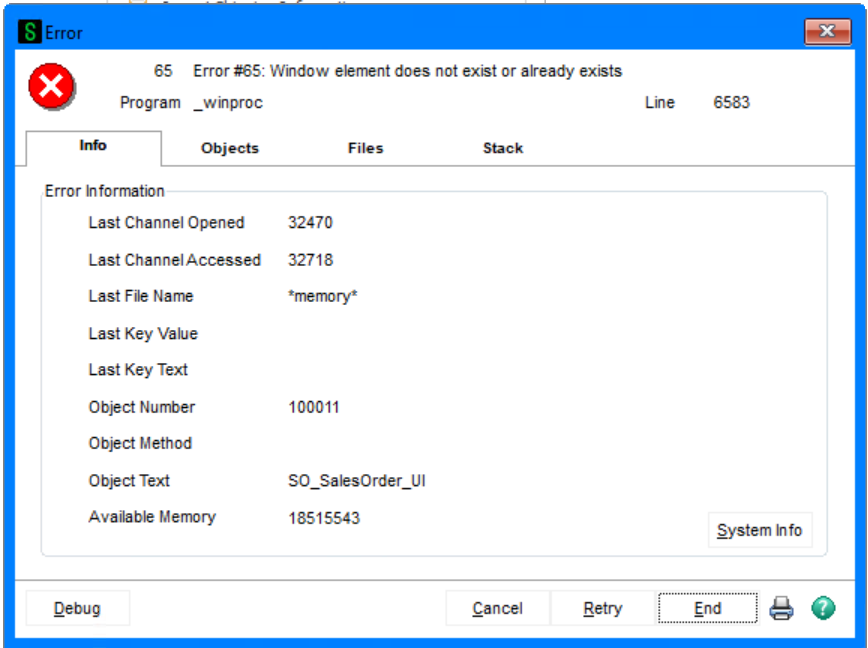
If resizing a tab-panel you have to go to DMAIN and resize the folder-container to be big enough to hold the new tab-panel size (...and of course, DMAIN needs to be big enough to fit the folder-container too).

Without this, there is nowhere to draw the objects outside the DMAIN folder-container dimensions, and you get those errors... but don't go too big. There will be an error if the DMAIN panel is too big to fit on screen.
------------------------------
Kevin Moyes
Technical Systems Analyst
Munjal White Consulting Co.
Toronto ON
Original Message:
Sent: 09-09-2025 23:35
From: Jeff Schwenk
Subject: Adding Custom Office Tab to a Panel that Does NOT have Tabs
I absolutely HATE resizing panels!!!!!!! Such a PITA!
I need some assistance deciphering these messages. I spent time adding UDFs to the SO header panels, which required some resizing. And of course, I did not make a copy of the tables prior to making the changes. So is it fixable or just restore from backup and try try again.
I have stared at the PHeader and my eyes are now bloodshot. WTH
------------------------------
Jeff Schwenk
Owner
Bottomline Software, Inc.
Waynesboro VA
(540) 221-4444
Improving bottom lines for over 25 years!
Original Message:
Sent: 09-09-2025 11:44
From: Jeff Schwenk
Subject: Adding Custom Office Tab to a Panel that Does NOT have Tabs
Looks like resizing is my way forward. Could be a suggestion for the Ideation Committee to allow tabbing. But it is probably too techie with minimal every day appearl.
------------------------------
Jeff Schwenk
Owner
Bottomline Software, Inc.
Waynesboro VA
(540) 221-4444
Improving bottom lines for over 25 years!
Original Message:
Sent: 09-09-2025 11:18
From: Kevin Moyes
Subject: Adding Custom Office Tab to a Panel that Does NOT have Tabs
Yes, a button pop-up panel is what we typically use when a screen is not big enough.
Resizing is the better option if they always need to see the extra fields.
------------------------------
Kevin Moyes
Technical Systems Analyst
Munjal White Consulting Co.
Toronto ON
Original Message:
Sent: 09-09-2025 11:08
From: Brett Zimmerman
Subject: Adding Custom Office Tab to a Panel that Does NOT have Tabs
I don't think you can add a tab. But instead of resizing the screen/panel, why not just add a button that opens a new box for your addt'l data/fields
------------------------------
Brett Zimmerman
Net at Work
Greater Boston Area