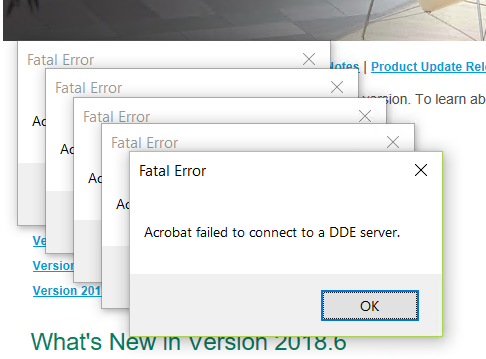
Thought I would get a jump v2019 ADV by installing on BLS server. As usual, everything went well at first but am experiencing difficulties with Paperless office and Adobe Reader. Getting this error message when trying to open a PDF within paperless viewer, when I try to open Adobe Reader DC. And as a result, paperless is not opening a PDF as well.
Amyuni converter is 6.0.1.1.
Sage KB offered as resolution 2 to uninstall and reinstall Adobe Reader. I did using the Adobe installation from the WKsetup install program (just a link to Adobe Website now). Nothing. PDF still working.
Uninstalled paperless driver using Pl_advancedoptions_ui utility. Reinstalled Test printer did not work. Now getting printer not activated, error code -41. Followed some steps in KB 33372
I have a button script that opens a designated PDF. This is not working (verified button properties). Paperless viewer will not open document. Adobe Reader activates but then nothing happens. Have to end program via task master.
WIN 10 workstation. Running in std mode (taking a short cut by not activating the service), however, I did install the v2019 workstation programs (BTW, if taking install defaults, will get folder already exists when taking the default local install path. This hasn't been an issue for several releases. "bug" seems to be back)
Have rebooted several times. UAC is off. Running Windows Defender. NOT deactivated.
------------------------------
Jeff Schwenk
Bottomline Software, Inc.
Waynesboro VA
540-221-4444
------------------------------