I am testing the launch of Sage in the new RDS RemoteApp WebClient (2016 Server and newer), and running into an odd message upon launch.
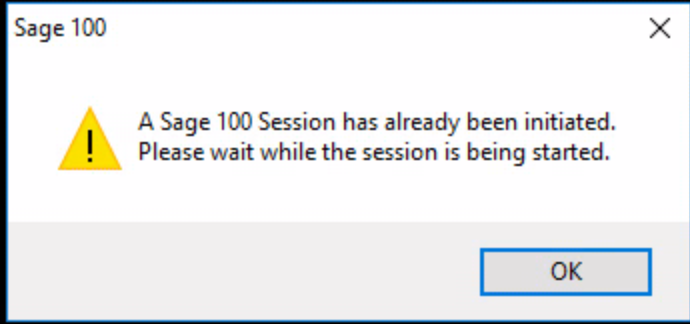
There doesn't seem to be much about it on the web / KBs that I could find.
Here are some interesting things I noticed:
- The issue only happens on Advanced and Premium (Standard works ok). (Sage 300, also launches fine)
- If launching that same app via the normal RDWeb interface (i.e: https://<serveraddress>/RDWeb), it works fine.
Only when launching via Web client (i.e: https://<serveraddress>/RDWeb/Webclient) does it fail with the above message.
- I've reproduced it with Sage 100 2018 Adv, 2019 Adv, 2019 Premium, and 2020 Adv.
- I've tried to create a BAT to launch Sage, as I suspected the Sage arguments/flags were the culprit, but it failed in the the same way.
- If I launch pvxwin32.exe without the arguments, it launches fine.
- If I launch a session using the IE (RDWeb) Method, then "steal" the session via WebClient, the session does take over successfully without this error. So it appears the problem is upon initialization of pvxwin32 using this connection method.
- I've compared processes launching on both the RDWeb, and the WebClient interfaces, and both look identical.
This is likely not a big issue at this time, since most are still using the RDS ActiveX via Internet Explorer. But as IE and ActiveX get phased out, the only method of connection will become the WebClient for anyone connecting via RemoteApp.
So I've narrowed it down to something within the Sage arguments (in Advanced and Premium) that the WebClient doesn't like, I just can't seem to figure out what that might be. Any thoughts / Suggestions?
------------------------------
George Khairallah
CTO | gotomyerp, LLC
george.k@gotomyerp.com | 877-888-5525
http://gotomyerp.com/------------------------------